How to Read YouTube's Impressions Click-Through Rate: What We Learned When a Creator Asked Us to Explain CTR Like a Kid
A creator on Threads asked us to explain YouTube CTR like a kid. CTR is only 75% of the story, and here is the plain-English version that makes it finally click.


A creator named @mrspolarbear89 recently asked on Threads if someone could explain YouTube CTR as if they were speaking to a child, and I loved the question so much it turned into this post. Here is the exact ask. "I'm not the brightest tool in the shed, I know that so when it comes to YouTube jargon, can someone explain the CTR and all that as if speaking to a child. I feel like I'd understand better." That is not a beginner question. That is the question every creator quietly asks themselves the first time the dashboard surprises them, so here is the whole thing in plain English.
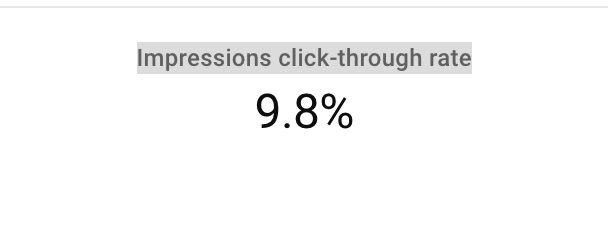
The headline answer is this. CTR is only 75% of the story. The other 25% is the number sitting right next to it on your dashboard, which is impressions. Impressions are simply the number of times YouTube showed your thumbnail to someone, on the homepage, in search, in suggested videos, and in subscription feeds. The percentage means almost nothing until you know how many people it is a percentage of, and that is the whole reason YouTube does not call it CTR. It calls it Impressions Click-Through Rate, on purpose, to remind you to read the impressions first.
The four words, and why they only make sense together
YouTube is communicating with you through four numbers, and they happen in order. First come your impressions, which is YouTube sharing your video out and showing your thumbnail to people. Second comes your Impressions Click-Through Rate, which is the percentage of those people who clicked, in other words how well your title and thumbnail did when YouTube put them in front of someone. Third come your views, which is how many of those clicks turned into someone actually watching. Fourth comes your watch time, which is how long they stayed, and watch time is the number that decides whether YouTube keeps sharing your video tomorrow.

Picture a lemonade stand. Impressions are the people who walked past and saw your sign. CTR is the share of them who stopped. Views are the ones who bought a cup. Watch time is how long they stuck around drinking it. If lots of people walk past and nobody stops, the problem is your sign. If they stop but do not buy, the problem is the lemonade. You cannot fix the stand by staring at one number, and you cannot fix a video by staring at CTR alone. That is what 75% means. CTR tells you a lot, but it never tells you everything.

Why the percentage is useless without the impressions
Here is the trap. YouTube could show your video to one single person, that person clicks, and you have a 100% CTR. Sounds incredible. It is one view. There is nothing to learn from it. Now flip it. YouTube shows your video to 10,000 people and 1.2% click. That is 120 views out of 10,000 people who saw your thumbnail and scrolled right past. The 100% looks amazing and means nothing. The 1.2% looks awful and is actually telling you something real, because 10,000 impressions is a big enough sample to trust.
So whenever you read your CTR, read the impressions first. A high percentage on a tiny number of impressions is noise. A lower percentage on a big pile of impressions is a signal you can act on. That is the single most important habit to build, and almost nobody does it.
What counts as a good YouTube CTR?
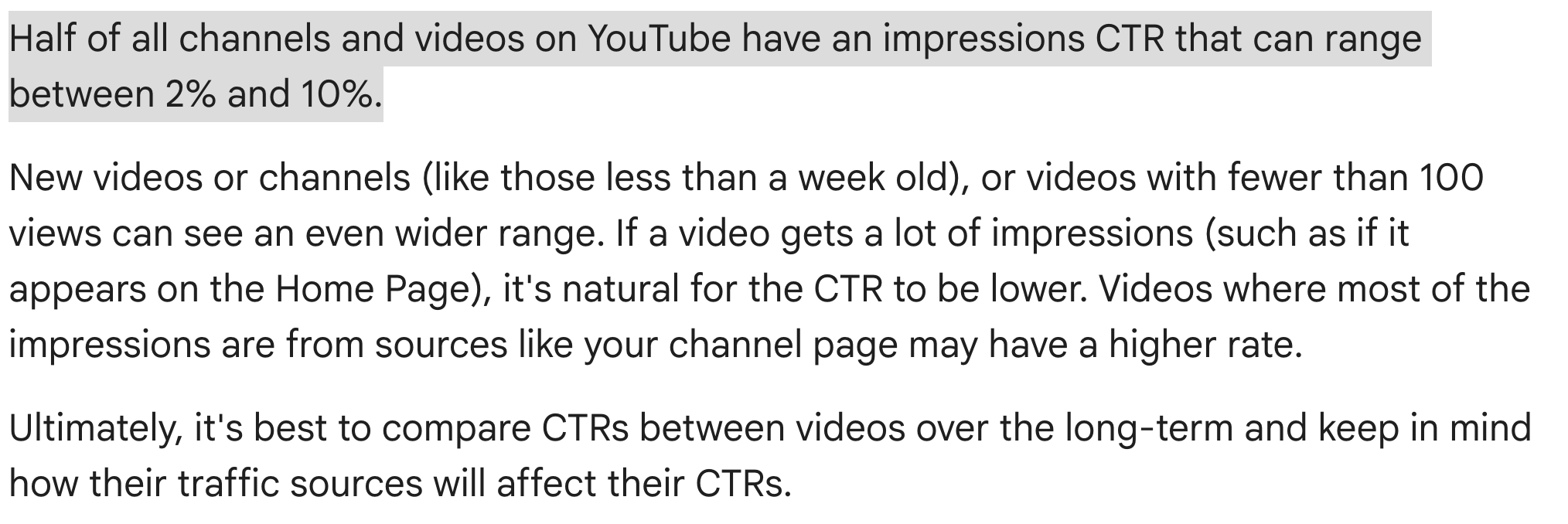
YouTube has said that half of all channels and videos land somewhere between 2% and 10%, with most sitting around 4% to 5%. Above 6% with real impression volume is strong. Above 10% is excellent. Below 2% usually means your thumbnail or title needs work. But the honest answer is that your CTR depends heavily on where the impressions came from. Search traffic clicks high, because those people typed in exactly what they wanted. Homepage traffic clicks lower, because those people are just browsing. So compare your videos to your own channel over time, not to a screenshot you saw from someone in a completely different niche. YouTube Studio even shows you an "average for this content" line right next to your CTR, which is a far better benchmark than any number you will read online.
How to read what YouTube is actually telling you
Once you read all four numbers together, the dashboard stops feeling like a slot machine. There are really only four patterns to learn.
High impressions and low CTR means YouTube is happy to share your video but people are not clicking. Your thumbnail or title is the problem. Change the front door.
Low impressions and high CTR means the few people who saw it loved it, but YouTube has not committed to pushing it yet. Do not touch the thumbnail just yet. Be patient, and share it elsewhere to give YouTube more data.
High CTR and low watch time is a situation some of us fall into eventually. The clicks come in, but people leave fast, so YouTube decides the click could have been misleading. In theory they could show it to less people, and that is what a clickbait penalty actually feels like.
High CTR and high watch time is the dream. YouTube widens the audience on your next upload, and the snowball starts rolling.
Your impressions are not unlimited
This is the part most creators never get told. Impressions are not a free tap that runs forever. YouTube will cap how many impressions a video gets if it decides the video is not suitable for a broad audience under its Community Guidelines, or if it falls outside the advertiser-friendly guidelines, which also limits your ads and your revenue. And if your video shows the clickbait pattern, a high CTR with low watch time and lower-than-expected impressions, YouTube simply recommends it less. Brand-new channels and videos also start with a small impression pool on purpose, because YouTube is still testing you and has not gathered enough signal yet. If a fresh upload has tiny impressions, that is usually the testing window, not a problem to panic about.
Two things that confuse everyone
You will sometimes see more views than impressions, and assume something is broken. It is not. Views from outside YouTube, like a link you shared on Threads or an embed on a blog, count as views but never count as impressions, because YouTube did not show the thumbnail. And if you try to check the math yourself by dividing your views by your impressions, it will not match the CTR on your dashboard, because YouTube only counts views that came from a real impression. Both of those are normal.
How to actually nudge your CTR up
Start with the thumbnail, because it moves CTR more than anything else. One clear focal point, strong contrast, real emotion on a face, and no more than a few words of text, designed to read on a tiny phone screen since that is where most people watch. Then tighten the title, front-loading the most interesting word so it survives getting cut off on mobile. If the thumbnail and title are already good but the CTR is still low, the issue is probably the audience YouTube is reaching, which lives in your description, tags, and first 30 seconds. And whatever you do, do not cheat the click. A thumbnail that overpromises will spike your CTR and then crater your watch time, and YouTube will bury the next one. The best CTR is the one your video can actually back up.
That is the whole thing. Impressions are YouTube sharing your video. CTR is how people respond to your title and thumbnail. Views are who actually watched. Watch time is what keeps it all going. Four numbers, one conversation, and CTR is only 75% of it. Read them together and you will never get fooled by a single number again.
If you want the rest of the YouTube jargon broken down the same way, the free YouTube Glossary and Creator Dictionary is at kdcc.social/pages/youtube-glossary, and the KDCC newsletter sends the weekly plain-English translation of YouTube changes. And if you have got a question about your own numbers, bring it to the KDCC community at kdcc.social, where a couple thousand creators are figuring this out together. I love this topic, so please ask.
And a real thank you to @mrspolarbear89 for asking the question that started all of this. The best posts almost always begin with someone being brave enough to ask the thing everyone else was too embarrassed to.
If I Kan, You Kan Too.
YouTube Impressions Click-Through Rate FAQ
What does ICTR stand for on YouTube? ICTR stands for Impressions Click-Through Rate, the percentage of impressions that resulted in someone clicking your thumbnail and watching. YouTube uses the full name on the Studio dashboard, and most creators just call it YouTube CTR.
What is a good YouTube CTR? YouTube has said half of all channels and videos sit between 2% and 10%, with most around 4% to 5%. Above 6% is strong, above 10% is excellent, and below 2% usually means your thumbnail or title needs work. Compare each video to your own channel rather than to someone else's number.
Is a 10% click-through rate good on YouTube? Yes, when it comes with real impression volume and solid watch time. A 10% CTR on a handful of impressions means nothing, and a 10% CTR with low watch time is a clickbait signal that YouTube will correct by showing your video to fewer people.
Why is my YouTube CTR so low? Usually one of three things. Your thumbnail or title is not earning the click, your impressions are coming from a low-clicking surface like the homepage rather than search, or YouTube is showing your video to the wrong audience, which you fix through your description and first 30 seconds rather than the thumbnail.
Why are my views higher than my impressions on YouTube? Because traffic from outside YouTube counts as views but not as impressions. A link shared on Threads, an embed on a blog, or a direct URL all bring views without YouTube ever showing your thumbnail, so the two numbers do not have to match.
Can YouTube limit my impressions? Yes. YouTube caps impressions for content it deems unsuitable for a broad audience, content outside the advertiser-friendly guidelines, and content that reads as clickbait. New channels and videos also start with smaller impression pools while YouTube gathers enough data to trust them.
Can a YouTube CTR be too high? Yes. A very high CTR with low watch time tells YouTube the click was misleading, and it will reduce your future impressions. The healthiest CTR is one your watch time backs up.
How often should I check my YouTube CTR? Weekly for active videos, and again around the 30-day mark for a settled read. Checking in the first day or two is misleading, because YouTube shows new uploads to your most loyal fans first and that inflates the early number.
Further reading from YouTube
YouTube Help Center: Impressions and click-through-rate FAQs : YouTube's own FAQ, including what counts as an impression, the 2% to 10% range, and the reasons impressions can be limited.