Ask YouTube Explained: What YouTube's New AI Search Means for Your Channel
YouTube just launched Ask YouTube, an AI conversational search that pulls its answers from your chapters. Here is what it is, how to access it, and how to optimize your videos for it, from someone who tested it live.

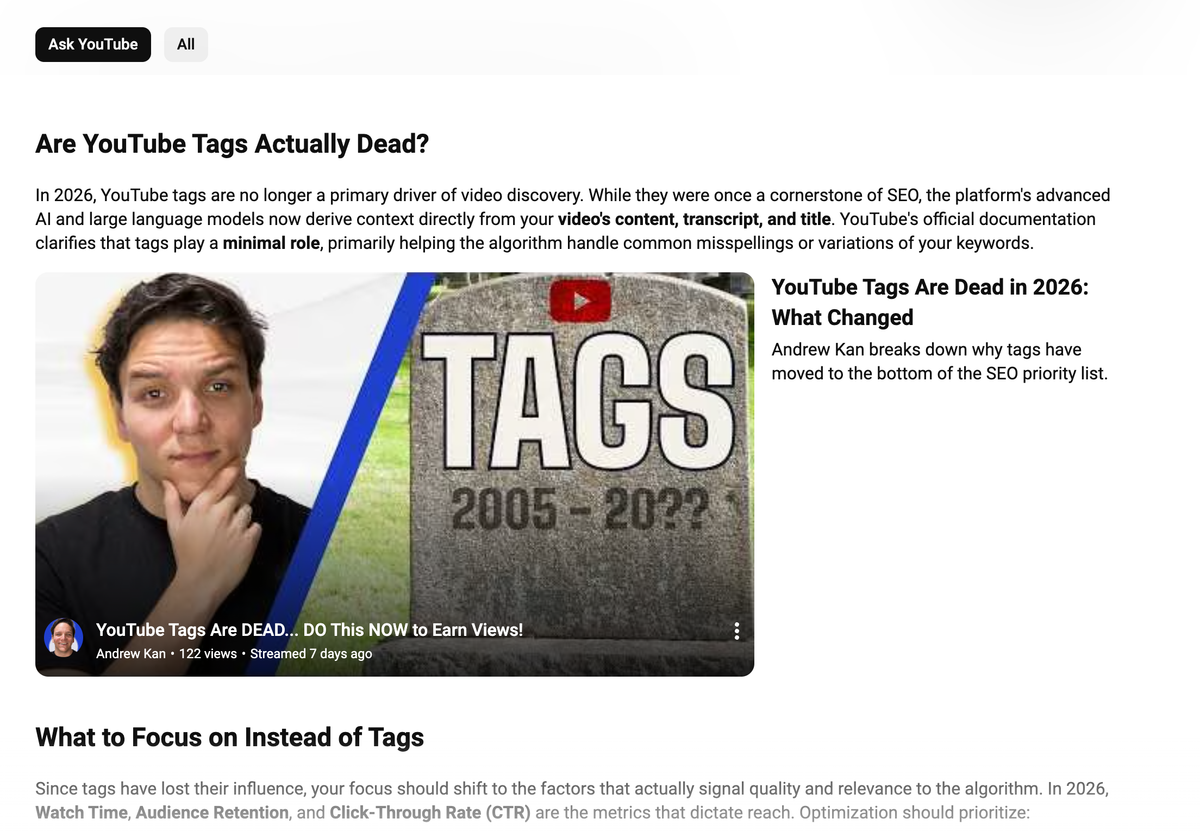
The first time I ran a search inside Ask YouTube on a livestream, I clocked something within about ten seconds that changed what I am now telling every creator I talk to.
Almost every answer the tool handed back was pulled straight from a YouTube chapter. Not the title. Not the tags. The chapter.
If you have been treating chapters as a nice-to-have you add when you have a spare minute, this is the post that should change your mind, because YouTube just shipped an AI search engine that reads your chapters as answers and quotes them back to viewers.
I have spent thirteen years on this platform, a decade of that teaching creators how to get found, going back to my time as the first employee at TubeBuddy.
So when YouTube ships something this big, I do not read the announcement and paraphrase it for you.
I open the thing and use it live until it breaks. I did exactly that on a recent Kan Do Creators Community livestream, and you can watch the full session, follow-up questions, dead ends, and all, here.
The short version, and what it means for your next upload, is below.
What is Ask YouTube?
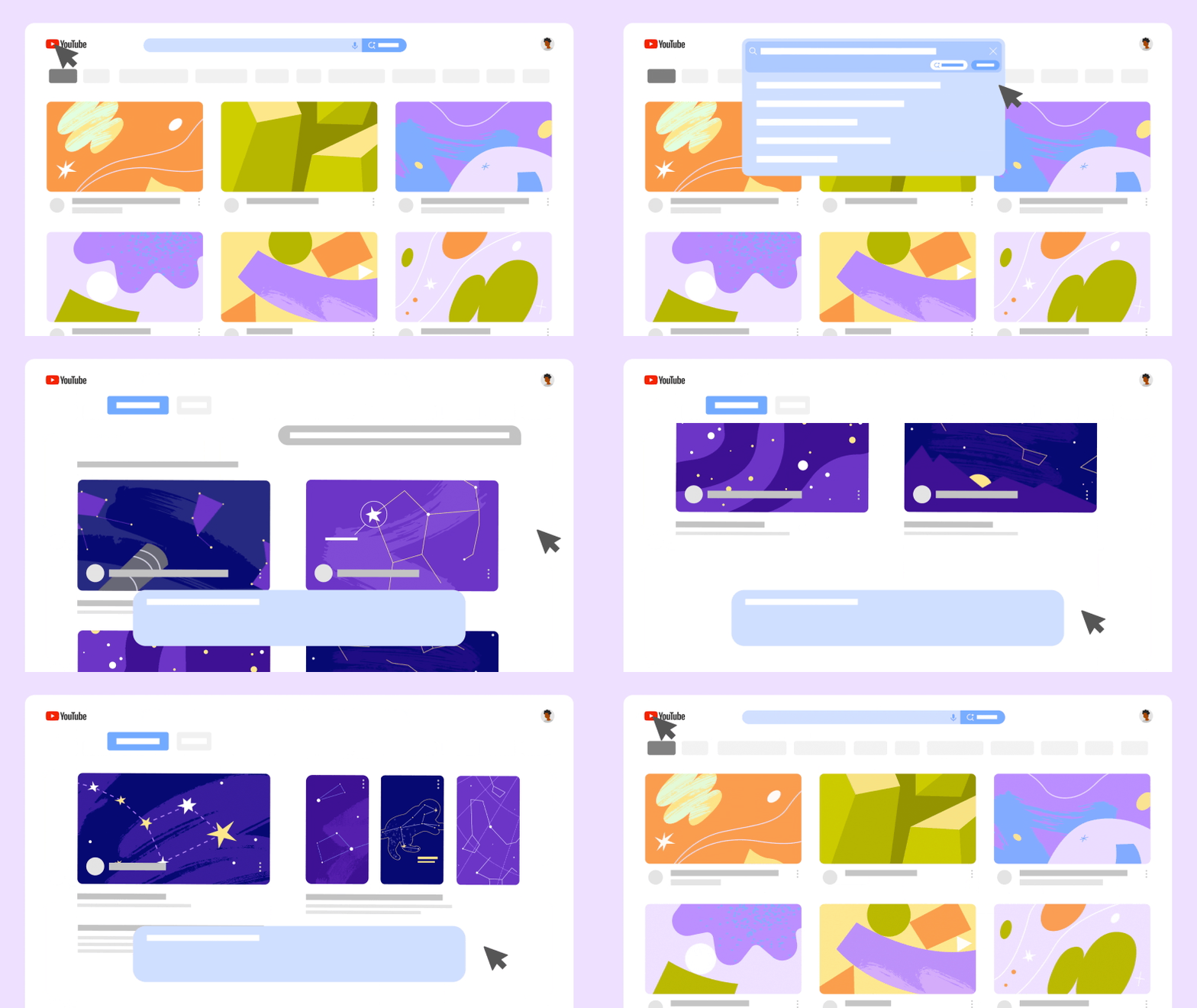
Ask YouTube is an experimental conversational search experience from YouTube. Instead of typing a few keywords and getting a wall of thumbnails, you ask a full question in plain language and get back an AI-written summary, the specific videos that summary was built from, and the option to ask follow-up questions in the same thread; the way you would in a chat.
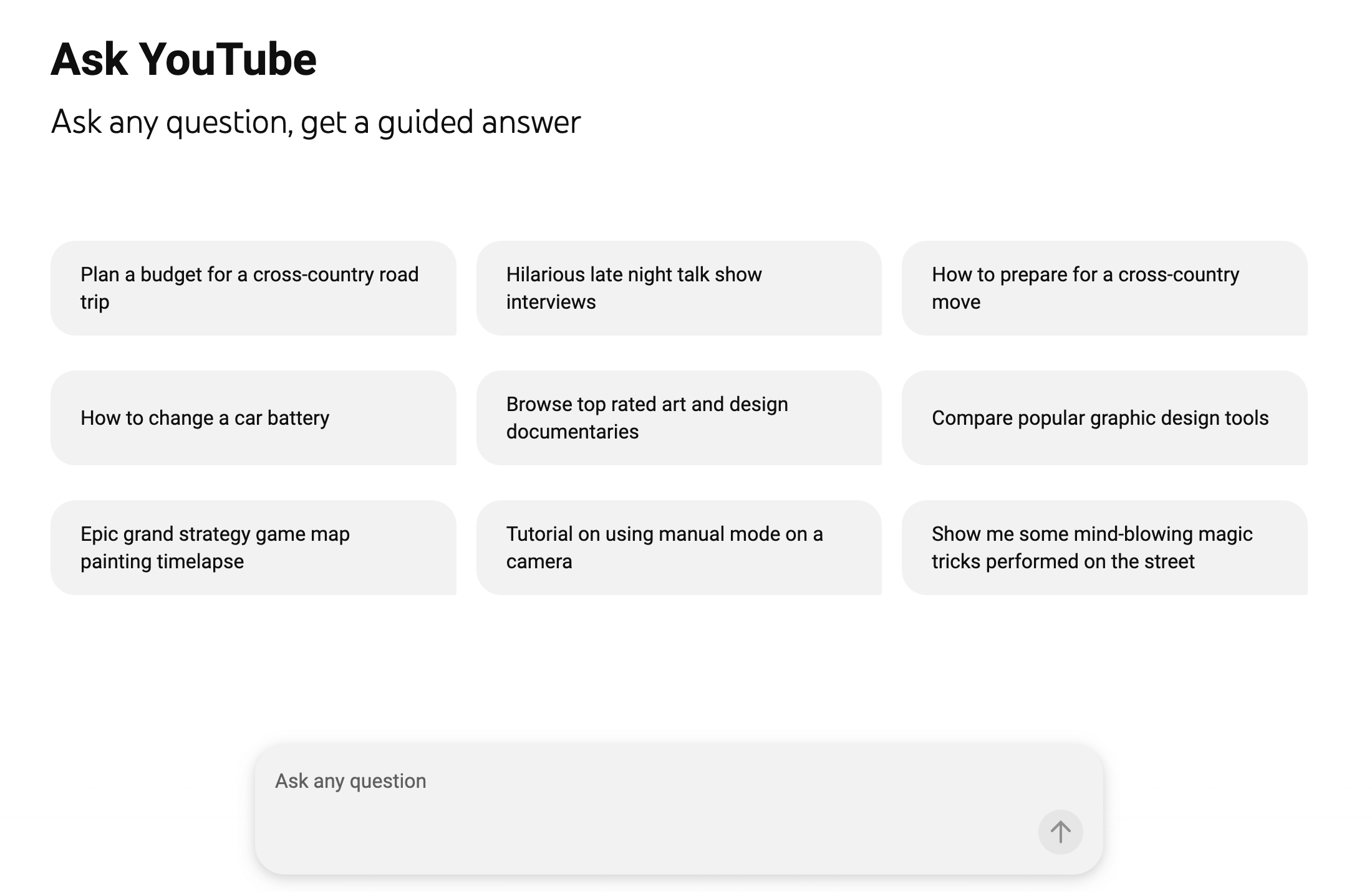
YouTube describes it on its own experiment page as a new way to search that feels more like a conversation.
A few details matter for creators. Ask YouTube pulls from across YouTube's catalog, both long-form videos and Shorts. Each answer cites its sources, and the cited video links to the exact timestamped section the answer came from, not just the video as a whole. And YouTube is upfront that this is early, noting on the experiment page that quality and accuracy may vary and asking users to leave thumbs-up or thumbs-down feedback.
I will say the same thing I said on the stream, only louder. AI can be wrong, so double-check anything it tells you before you act on it. I watched it be confidently wrong more than once.
Ask YouTube vs Ask Studio: clearing up the name first
There are two similarly named features floating around, and the names are close enough that I kept mixing them up on my own livestream.
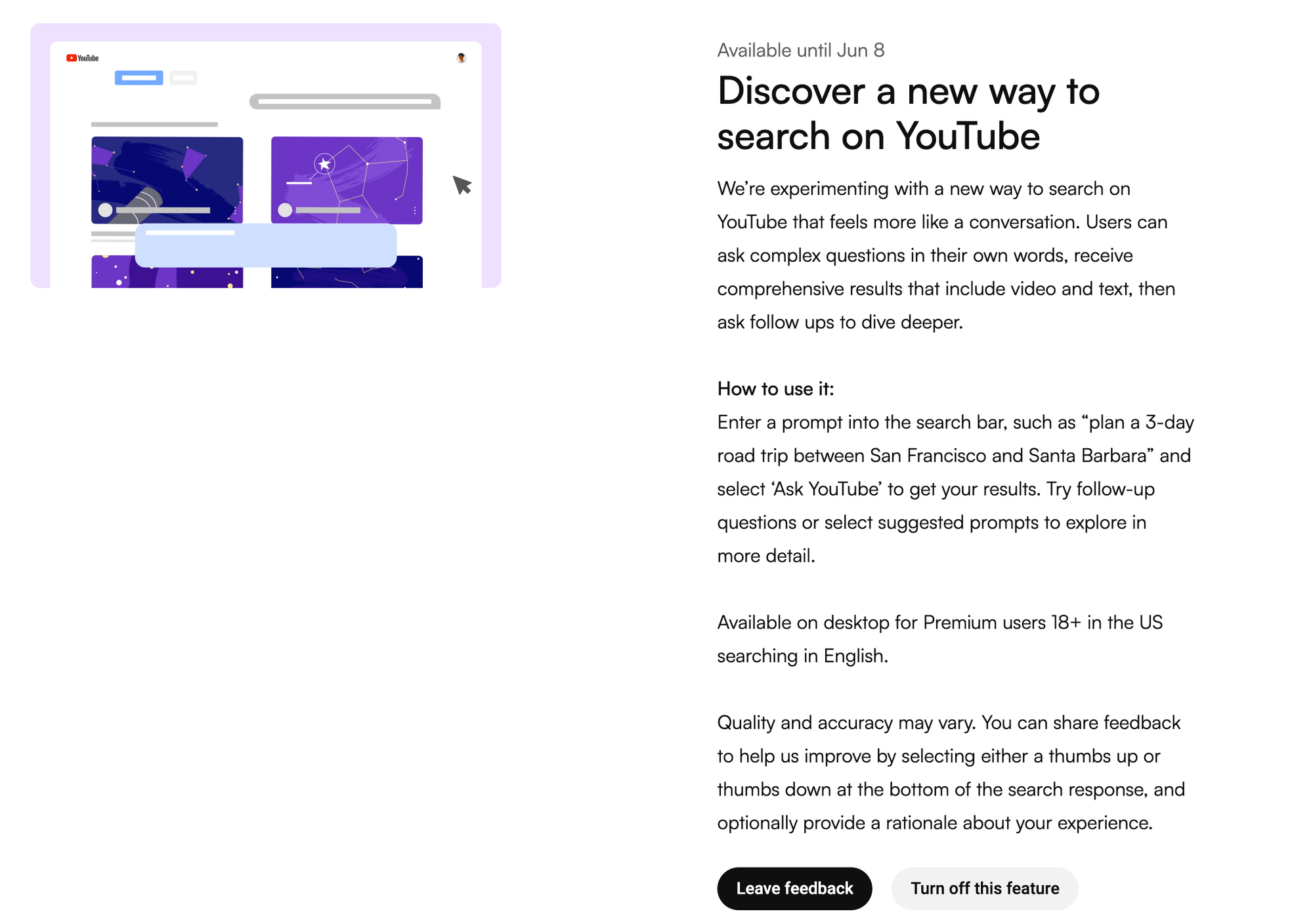
Ask YouTube is the viewer-facing conversational search you reach at youtube.com/new, and that is what this whole post is about. It is separate from the similarly named assistant that lives inside YouTube Studio.
Example Video of Ask Studio:
If you came here to understand the search experience that answers viewer questions and decides which videos get surfaced, you are in the right place. If I slip and call it the wrong thing, blame YouTube's naming, not you.
How to access Ask YouTube
You turn it on through the YouTube experiments page at youtube.com/new, where YouTube runs opt-in tests for eligible accounts.
As listed during the experiment window, access was limited to Premium members, 18 or older, in the United States, searching in English, on desktop only. It is not on the phone yet, so if you went looking on mobile and could not find it, that is why.
One honest caveat. This is a time-boxed experiment that was scheduled to run until June 8, 2026. If you are reading this after that date, treat the access rules above as a snapshot in time.
The feature may have expanded to more countries and devices, changed how it works, or ended entirely. Verify the current state on YouTube's own experiments page before you rely on any specific detail here.
Why YouTube built a conversational search engine
Search behavior has shifted, and YouTube is responding to it. More and more people, especially younger viewers, ask their questions of AI language models and chatbots instead of typing keywords into a search bar.
YouTube is the second-largest search engine in the world, and it has an obvious interest in keeping those question-shaped searches inside YouTube rather than losing them to an outside AI tool. Ask YouTube is YouTube's answer to that shift, and it happens to be built on Google's own AI as part of the larger I/O 2026 push.
Here is my read, and I will mark it as my read rather than fact. I think a real motivation is competitive. To be clear, this is not YouTube trying to beat Gemini. Google owns Gemini, so that framing makes no sense.
The competition is the broader habit of asking an AI language model your question instead of searching a platform at all. YouTube would rather be the place you ask the question in the first place.
Whatever the motive, the takeaway for us is the same. When the largest video platform on earth starts answering questions instead of just listing videos, the creators who get cited are the ones who structured their videos to be answers. That is the whole game now.
The first thing I noticed: chapters are powering the answers
This is the part I want you to actually do something about. When Ask YouTube builds an answer, it cites a video and links to the exact timestamped section the information came from.
On the stream, I hovered over result after result and watched the same pattern hold. The sections it pulled were chapters. Topic after topic, the answers were stitched together from chaptered moments inside other people's videos.
Think about what that means. If search is becoming a conversation, then your chapters are the sentences YouTube can quote back to a viewer who asked a question.
A video with no chapters is a video the tool has a harder time pulling a clean, citable answer from. A video with vague chapters is almost as bad.
On the stream a member mentioned his chapters were just labels like "Gameplay," and that is the trap. "Gameplay" answers nothing. "Assassin's Creed Black Flag combat and stealth changes" answers a real question somebody is actually asking.
The fix is not more chapters, it is sharper ones. Write each chapter as the answer to a question a real person would say out loud.
I have been telling creators chapters matter for years, and some pushed back on that even on this stream. Chapters have mattered for external Google search for a long time.
What is new is that YouTube is now using them inside its own AI search, where the chapter is the unit it cites. That is not a small change in weighting. That is a brand-new front door, and most channels have left it unlocked.
How to optimize your videos for Ask YouTube
The work that earns citations in conversational search is not a secret trick, and none of it requires Premium or any tool you do not already have. It is the same five fundamentals, reordered so the ones the AI actually reads come first. This applies to any channel in any niche, so here is where to put your time.
Start with chapters, because that is where Ask YouTube is pulling from. Add them to every long-form video, and label each one as the answer to a searchable question rather than a vague heading. Be specific. The more your chapter reads like the question a viewer would type, the easier it is for YouTube to lift it as the answer.
Then the transcript and captions. YouTube now indexes the words you actually say in the video, so say your keyword out loud, define your terms in plain language, and upload a cleaned transcript instead of leaning on raw auto-captions. If the answer to a common question lives in your spoken words, the AI can find it. If you only gestured at it, it cannot.
Then the description. The first two lines sit above the fold and should answer the searcher's question fast, and the rest should be written in real sentences, because AI summarizers read your description the same way a person would. Do not stuff it with keywords or paste tags into it. Write it like you are explaining the video to one curious person.
Then the title, which still does the heaviest lifting for the click itself. Put the keyword in the first few words before the mobile app truncates it, and promise something specific rather than something vague.
Underneath all of it sits the idea. If the video does not clearly answer a real question for a real viewer, no amount of chaptering saves it. The structure helps a good video get found. It cannot rescue a video that was never about anything.
The KANDO Method maps the whole job
Inside KDCC we run all of this through The KANDO Method, which is just a way to keep the work in order so you are not optimizing a video that should not exist.
Knowledge, research the question before you record so you know what people are actually asking.
Audience, pick one viewer per video.
Novelty, find the angle nobody else hit.
Data, read your impressions, click-through rate, and watch time, then make one change.
Optimization, the chapters, transcript, description, and title, in that order for this new search world.
The free KANDO Method worksheet at kdcc.social walks through each step, and I break the whole framework down on the livestream linked above.
Will Ask YouTube surface channels you are subscribed to?
This is the question I kept poking at live, and the answer right now is, not reliably. I searched topics where I knew I was subscribed to a creator who had a strong video on exactly that subject, and their video often did not appear in the AI answer.
I left YouTube a lot of feedback about that, because I think a personalized search should consider the people you already chose to follow.
There is a practical lesson in that for every creator, not just me. You cannot count on your existing subscribers to carry you into Ask YouTube results.
The tool is assembling answers from the whole catalog based on how well each video is structured to answer the question, not on who is subscribed to whom. That makes your metadata work matter more, not less.
The channels that get cited here are earning it on structure, video by video.
What I have to admit about Ask YouTube
The part I have to say out loud is that I am not fully sold on the tool itself yet. I watched it stall, refuse perfectly reasonable questions, and give answers that were stated with total confidence and were still wrong.
That is the core problem with AI search in general, and being owned by Google does not make it immune. It is in beta, and it shows.
So I am not telling you to bet your strategy on Ask YouTube as a product. I am telling you to bet on the direction it points.
Conversational search and chapter-level citation are bigger than one experiment, and they are showing up across the whole web, not just on YouTube.
Whether or not this exact feature survives past its experiment window, the behavior it rewards, clear chapters, clean transcripts, real-sentence descriptions, and videos built to answer questions, is the same behavior that wins everywhere else search is going.
If you want to shape where this goes, use it while you can and send YouTube your feedback. They read it more often than people think.
The one-line summary
Search is becoming a conversation, your chapters are the answers, so write chapters a real person would ask for out loud and let the rest of your metadata back them up.
If I Kan, You Kan Too.
Ask YouTube FAQ
What is Ask YouTube? It is an experimental conversational search experience on YouTube that answers a plain-language question with an AI-written summary, links to the specific videos and timestamped sections it pulled from, and lets you ask follow-up questions in the same thread.
How do I access Ask YouTube? Through the YouTube experiments page at youtube.com/new. During the experiment window it was open to Premium members, 18 or older, in the United States, searching in English, on desktop only, and was scheduled to run until June 8, 2026. Check YouTube's experiments page for the current rules, since this was a time-boxed test.
Is Ask YouTube the same as Ask Studio? No. Ask YouTube is the viewer-facing conversational search at youtube.com/new. It is separate from the similarly named assistant inside YouTube Studio. The names are easy to confuse.
Do I need YouTube Premium for Ask YouTube? During the experiment, yes, access was limited to Premium members who met the age, country, language, and device requirements above. That may change as YouTube widens the test.
How do I rank in or get cited by Ask YouTube? Structure your videos to answer questions. Add specific, question-shaped chapters, upload a clean transcript and say your keyword out loud, write a real-sentence description, and put your keyword early in the title. The cited answers are pulled from chapters and spoken content, so that is where your effort pays off.
Does Ask YouTube use my subscriptions? In my testing it did not reliably surface channels I was subscribed to. It assembles answers from across the catalog based on how well each video answers the question, so you cannot rely on your existing audience to carry you into the results.
Is Ask YouTube accurate? Not always. YouTube itself notes that quality and accuracy may vary, and I watched it give confidently wrong answers. Treat it as a starting point and verify anything important.
Further reading from YouTube
YouTube Blog: the I/O 2026 announcement covering interactive search and new creator features, YouTube's own writeup of the launch.
YouTube experiments: youtube.com/new, the page where eligible accounts turn the experiment on and where the current access rules live.
Search Engine Land: YouTube testing new search experience, Ask YouTube, independent coverage of how the feature works and who can use it.