YouTube Growth Browser Extensions: Why a Former TubeBuddy Employee Picked TubeSpanner
YouTube growth browser extensions explained by Andrew Kan, former first employee at TubeBuddy. Here is why TubeSpanner earned a spot in my creator tool stack and how it compares to the alternatives.

YouTube growth browser extensions are free or paid Chrome and Firefox add-ons that surface search and discovery data, title suggestions, audience insights, and competitor tracking inside the YouTube interface, so creators can act on growth signals without leaving the platform. TubeSpanner is a free YouTube growth browser extension that combines video idea generation, a discovery optimizer, audience avatars, social sharing, and live competitor tracking in a single dashboard. As someone who spent years inside TubeBuddy as the first employee, helping grow that channel from roughly 6,000 subscribers to over 500,000, I am genuinely picky about which creator tools I keep installed, and TubeSpanner has earned its spot in my workflow.
Learn how TubeSpanner can help you grow on YouTube!
Before I go any further, I want to be upfront. TubeSpanner sponsored the livestream this post is built from, and I am also a brand partner of TubeSpanner with an affiliate link in this post, which means I may earn a commission if you sign up through it. The deciding factor for me partnering with any creator tool is whether the tool has a real, usable free version, because I will not recommend something a creator cannot try before deciding to upgrade, and TubeSpanner clears that bar.
Check out TubeSpanner and grow on YouTube!
What Are YouTube Growth Browser Extensions?
YouTube growth browser extensions are software add-ons that integrate directly with the YouTube interface to give creators access to data and tools that the native YouTube Studio does not surface, including keyword research, title scoring, tag suggestions, thumbnail testing prompts, audience targeting profiles, and competitor benchmarking. The category exists because YouTube's own creator tooling, while continually improving, leaves gaps around ideation, search positioning, and side-by-side competitive analysis that working creators want to close without opening five different tabs.
Most of these extensions live in the Chrome Web Store or the Firefox Add-Ons directory, and they install in seconds. The reason creators reach for them is simple, which is that the time saved per upload compounds over a year of weekly publishing, and the strategic clarity around search and discovery often translates into the difference between a video that ranks and a video that disappears. If you want a refresher on the YouTube terminology that comes up across every tool in this category, the KDCC YouTube Glossary and Creator Dictionary is the reference I built specifically for this audience.
Why Am I So Picky About Creator Tools?
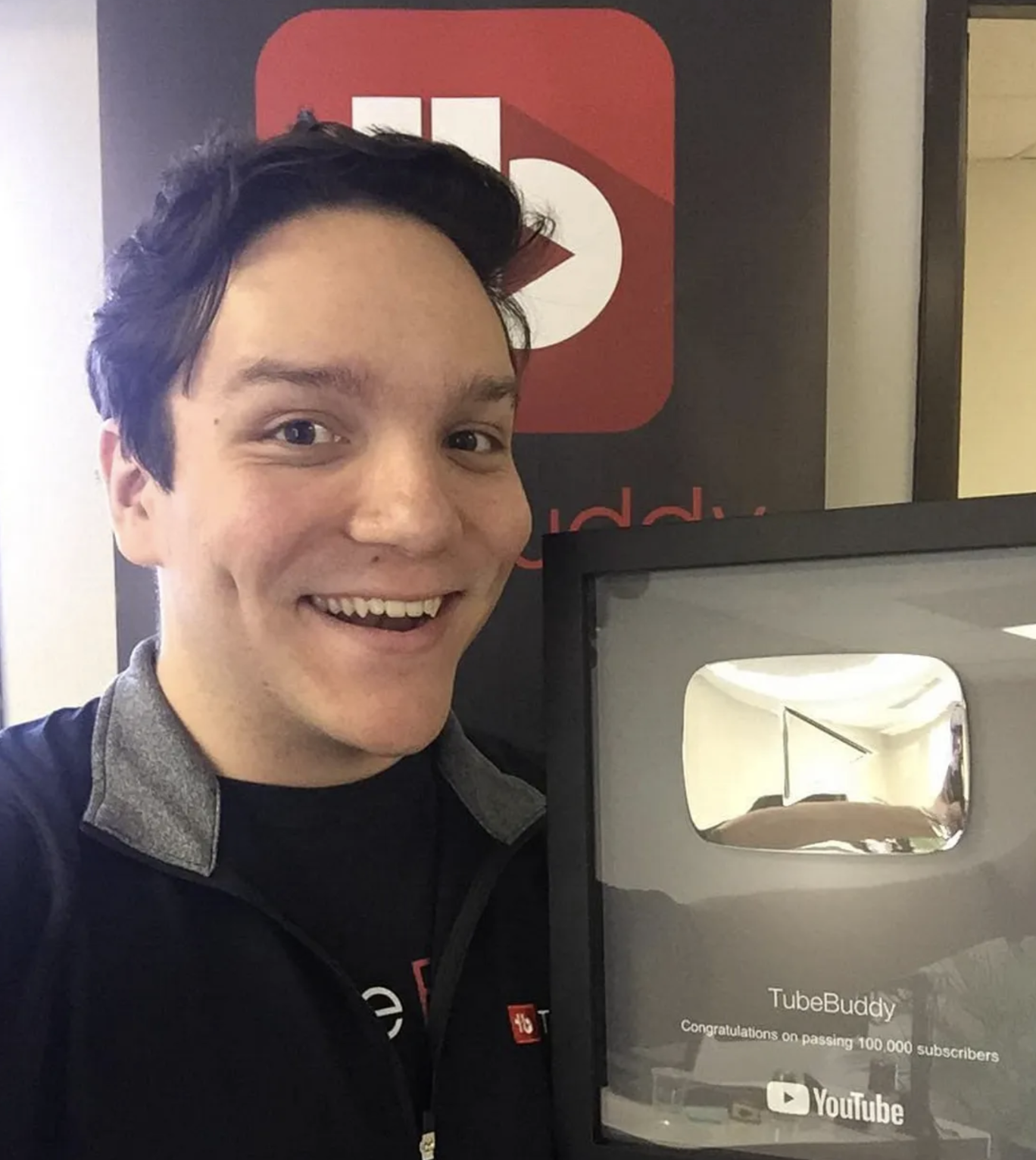
I have spent over thirteen years working on YouTube, and a meaningful chunk of that time was at TubeBuddy as the company's first employee, where I helped grow their YouTube channel from around 6,000 subscribers to over 500,000 and saw firsthand how creator-tool development happens behind the scenes. My full background on that journey is over at the post about how I went from TubeBuddy to Salesforce to building KDCC, and the short version is that I have evaluated, used, and partnered with most of the major extensions in this space at some point in my career.
When a tool sends me a partnership pitch, the first filter is whether the free version is genuinely useful on its own, because creators with smaller channels often cannot justify a paid subscription before they have proven the workflow. The second filter is whether the team behind the tool listens to creators when they raise concerns, because the gap between a tool that improves quarter over quarter and a tool that stagnates often comes down to that single behavior. The third filter is whether the tool tries to do everything badly or a few things very well, because the extensions I keep installed are the ones that pick a lane and execute on it. TubeSpanner cleared all three filters, which is why I am working with them now and why I am writing about them today.
I am not exclusive to any one tool, and I have said publicly that if exclusivity were the requirement, I would probably still be at TubeBuddy. I am here because I want creators to have honest assessments of the options on the table, and that is also why Ike and I built the Kan Do Creators Community the way we did, around real conversations about what is working rather than blanket endorsements.
What Does TubeSpanner Do for YouTube Growth?
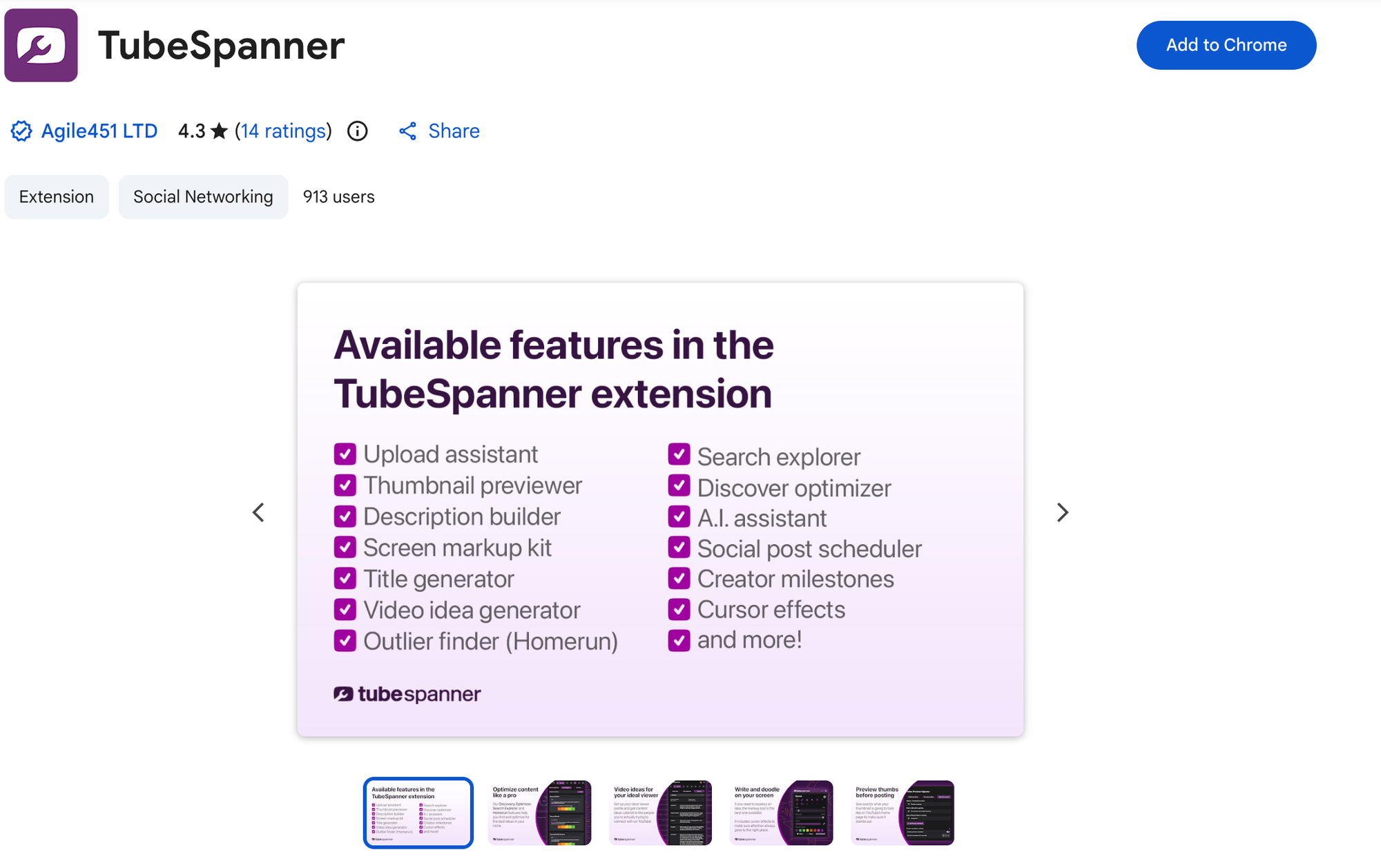
TubeSpanner is a free YouTube growth browser extension that lives in your Chrome or Firefox sidebar and gives you ideation, search and discovery scoring, audience targeting, social sharing, and competitor tracking inside the YouTube interface. The standalone tools that show up first when you install it are an on-screen drawing tool with adjustable brush settings, a screen pointer with selectable colors and animation modes, and a magnifier with rectangle and circle modes, all of which are useful for screen recordings, tutorial videos, and live demos before you even open the dashboard.
Once you open the main extension panel, the workflow flows from idea to title to discovery score to publishing, with audience targeting layered on top of every step. The home screen tracks which tools you have used recently, surfaces the latest TubeSpanner livestream when one is happening, and links into the deeper feature set, so the extension feels like a single connected workspace rather than a pile of disconnected utilities. I walk through the entire panel hands-on in my full TubeSpanner livestream, and the post you are reading right now covers the strategic case for using the extension at all.
How Does TubeSpanner Help You Generate YouTube Video Ideas?
TubeSpanner generates video ideas based on the actual content already on your YouTube channel and on the audience profile you select, which means the suggestions are tied to what your viewers have already responded to rather than being pulled from a generic trending list. The Ideation Station, which is what the team calls this section, gives you working titles, briefs, and methods for each idea, and you can save the ones that fit and ignore the ones that do not without the system penalizing you for skipping suggestions.
The audience side of ideation is where this tool starts to feel different from what most creators are used to. You can target your most recent viewers, your most viewed audience, your most engaged audience, or you can build a custom avatar that includes age range, income range, geographic region, language, and the specific aspirations the avatar holds. The reason this matters is that an idea optimized for your most engaged viewers reads completely differently from an idea optimized for your most recent viewers, and most creators have never been forced to make that distinction in their own workflow before. If you want a deeper look at how to think about audience segmentation outside the tool, the KDCC YouTube Audience Visualizer is the free resource I built to walk you through it.
Once you save an idea, you get up to thirty title variations on the free plan, and you can refine each title with a separate scoring tool before committing. I tested this live by taking an idea about creator content strategy and iterating the title down to something tighter and more readable, and the discovery score moved with each edit, which gave me an immediate signal about whether each tweak was helping or hurting. The exact rewrite I worked through is in the livestream replay, and the takeaway for this post is that the tool encourages iteration rather than rewarding the first draft.
How Does the TubeSpanner Discovery Optimizer Score Your Videos?
The TubeSpanner Discovery Optimizer scores your title and metadata against YouTube's search and discovery system, which is the official term YouTube uses to describe how content gets surfaced through search results, suggested videos, browse, and the homepage. The score takes into account title length, readability, sentiment, audience alignment, and how the title is likely to perform across the major surfaces a viewer might encounter your video on, and it updates in real time as you edit.
The part of this tool that I find most valuable is the lexitronics breakdown, which is the analysis of the parts of speech, common-word density, and clarity of your title for the average viewer. Anything past seventy characters in a YouTube title gets truncated on most devices, so the tool flags titles that are running long and gives you a specific length recommendation, and it tells you when the colon, the question mark, or the curiosity hook in your title is doing the work it should be doing. The discovery score is paired with a separate search explorer view that shows competition, related ideas, keyword targeting, and Shorts versus long-form distribution for the topic, which is genuinely the kind of dashboard I wish I had access to ten years ago.
The companion live walkthrough goes into the exact score thresholds the TubeSpanner team recommends, and I would rather you see those numbers in motion than try to memorize them from a paragraph here.
How Does TubeSpanner Compare to TubeBuddy and VidIQ?
TubeSpanner, TubeBuddy, and VidIQ all operate in the same broad creator tools category, and they all overlap on keyword research, title scoring, and tag suggestions, which means the question of which one to use comes down to which workflow each tool optimizes for and how the team behind each tool moves over time. I worked at TubeBuddy for years, I have respect for what the team there has built, and I am careful about how I talk about every tool I work with now precisely because I know the category from the inside.
The reason I am working with TubeSpanner specifically is that the team has built features around audience-first ideation, the discovery score works across both the homepage and search surfaces in a way that maps cleanly to how YouTube distributes content, and the social sharing and competitor tracking features are tighter than what is available in most of the alternatives. The team also ships changes at a pace that suggests they are listening to creators week over week, and that combination is what made me comfortable putting my name on a partnership.
If you are already paying for a different extension and it is working for you, there is no reason to switch for the sake of switching, because the cost of moving your workflow is real. If you are evaluating the category for the first time, or if your current extension has stopped getting better, TubeSpanner is the one I would put at the top of your list to test, especially because the free version is enough to validate whether the workflow fits your channel before you spend a dollar.
Who Is TubeSpanner For?
TubeSpanner is built for any YouTube creator, whether you are uploading your first video this week or you have been publishing on a schedule for years, because the toolset spans the full creator workflow rather than focusing on a single skill level. The screen markup kit, the cursor effects, and the magnifier are useful for anyone recording screen content, regardless of channel size, and they show up the moment you install the extension. Where you should start with the deeper feature set depends on what you are working through right now, so the framing I would give is less about whether you qualify and more about which feature is going to give you the biggest unlock from day one.
If you are early in your channel and you are still figuring out what to make, the Ideation Station is the feature to start with, because it generates working titles and briefs tied to the audience you select rather than a generic trending list, and the lexitronics breakdown teaches you why some titles read clearly to viewers and others do not. The title generator paired with the discovery optimizer is also a strong learning tool at this stage, because every edit you make to a title moves the score in real time and you start internalizing the patterns that work without having to memorize them.
If you are in the middle of your channel growth and you are testing different audience targets to see which one your content connects with most, the audience avatar system is where TubeSpanner separates itself from the rest of the category. Targeting your most recent viewers, your most viewed audience, or your most engaged audience produces meaningfully different idea suggestions, and the custom avatar builder lets you go deeper if you have a specific viewer profile in mind.
If you are running an established channel and you are tracking the competition, scheduling content across platforms, and watching your milestones, the competitor benchmarking view, the social post scheduler, and the achievements panel are the features that move from useful to essential. The competitor view in particular saves the tab-switching cost of opening someone else's channel in a separate window every time you want to check what they are uploading and how it is performing.
The full hands-on tour of every feature, including the side-by-side competitor tracking view, the social sharing tab, and the live demo of how I rewrote a title score in real time, is in the livestream replay. If you have questions about how a tool like this fits into a broader YouTube growth strategy, come ask in the KDCC Discord, where Ike and I and the rest of the community are working through questions like this one every week.
Whichever stage you are in, the entry point is the same, and you can try TubeSpanner free through my partner link to have the full feature set installed in your browser in under a minute.
If I Kan, You Kan Too.