What's New on YouTube (And Why ChatGPT's Image Update Should Have Your Attention)

Hate Shorts? This might solve your problem.
But only if you're on the YouTube mobile app. This doesn't work on desktop because the time management feature isn't available on desktop.
To find this feature, open up your YouTube app and click on the You tab on the bottom right. Then tap on the settings ⚙️ on the top right.
Look for "Time management" and head into that tab. You'll find the "Shorts feed limit" towards the bottom.
Toggle it on and you'll be given the option of how many minutes or hours you want to limit yourself.
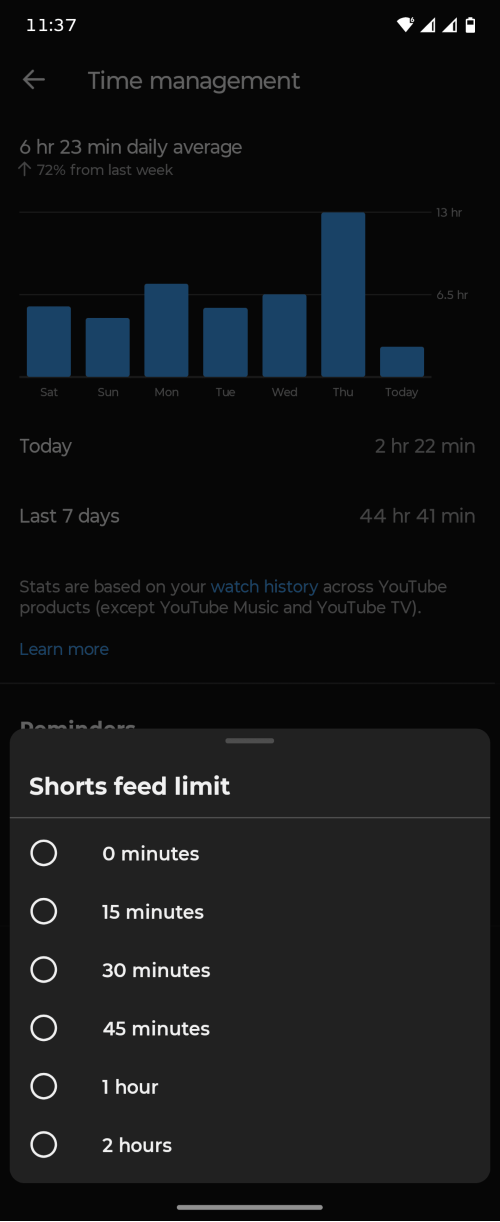
YouTube gives you the option of "0 minutes" if you don't want to watch any Shorts at all.
With this on, YouTube will stop you from watching anything in the Shorts feed, but you'd still have the option to bypass it if you want. You also won't see Shorts anymore in your Home page.
There's a chance the Shorts feed limit might toggle off after the day's over, so you'd have to set it up every time. But it could also be something that sticks until you decide you want it off.
Would this help you on your journey to see less Shorts? Let us know!
Source: https://support.google.com/youtube/answer/16671528?hl=en
🤔 Did you know that you can make corrections in your YouTube video?
Every creator should strive to make the best videos you can, but not every video will be perfect. You're bound to make some factual mistakes, or the facts have become outdated. But once it's published and the views comes in, there's no going back to the editor.
Here's the thing, YouTube actually has a Corrections feature that lets you flag factual errors. Unfortunately, not a lot of creators know about this because YouTube's not the greatest at letting you know about their 100+ tools and experiments.
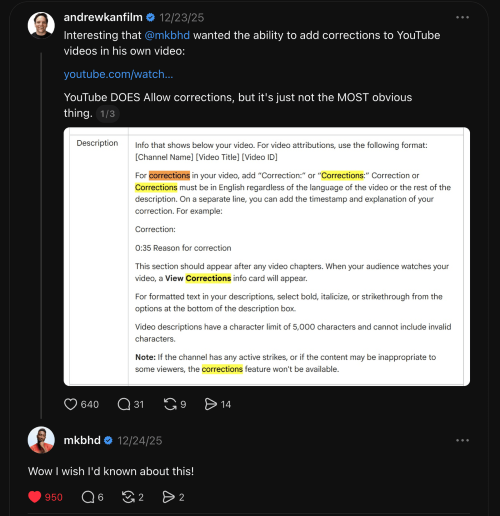
Andrew Kan goes deep into this feature and where to find it in the Kan Do Blog.
 Andrew Kan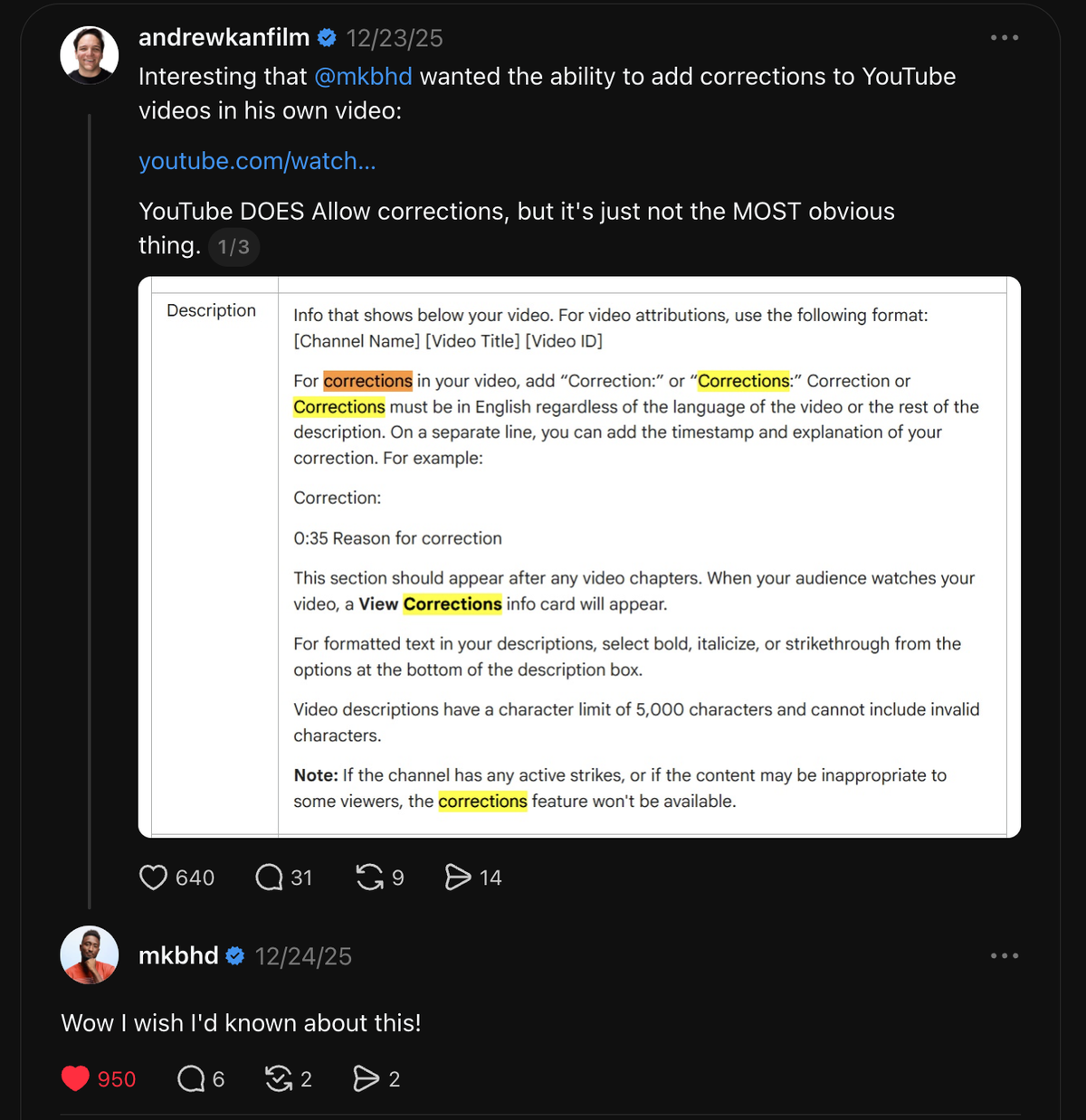
❓What are your thoughts on Community Posts in the Shorts feed?
Whether you love or hate Shorts, you understand that if you use it right, it can help your channel reach out to a wider audience. YouTube assumes it can do the same for Community Posts.
This is YouTube's latest experiment, which allows your Posts to show up in the Shorts feed. Though this is only if you're a part of the experiment group and if the Post contains 1 - 10 pictures.
Even if you're not a part of this group, you might notice your Posts getting and having enough views that you'd see it in your realtime performance data. Unfortunately, you won't be able to deep dive into your Post's analytics because that's not available yet.
Hopefully, if this experiment is successful and YouTube launches it globally, they might consider giving us more data for Posts.
Until then, let us know your thoughts on Posts in the Shorts feed. Have you seen it yourself? Have you been selected for the experiment?
Source: https://support.google.com/youtube/thread/18138167?hl=en&msgid=425138368
🤖 ChatGPT Images 2.0 is out and it looks... scarily good.
This newest version comes with thinking, allowing ChatGPT to take on complex visual tasks and produce precise, useable visuals. It gives you greater precision and control, allowing you to render small texts, iconography, UI elements, and dense compositions.
There are still many things it struggles with, like tasks that require a complete and coherent physical world model. Details that are very dense or repetitive. Labels and diagrams, and more.
The example images from Chat GPT Images 2.0 looks almost like someone made it at a glance. One generated picture was a "hand-written" essay, and it really looks like someone write it...
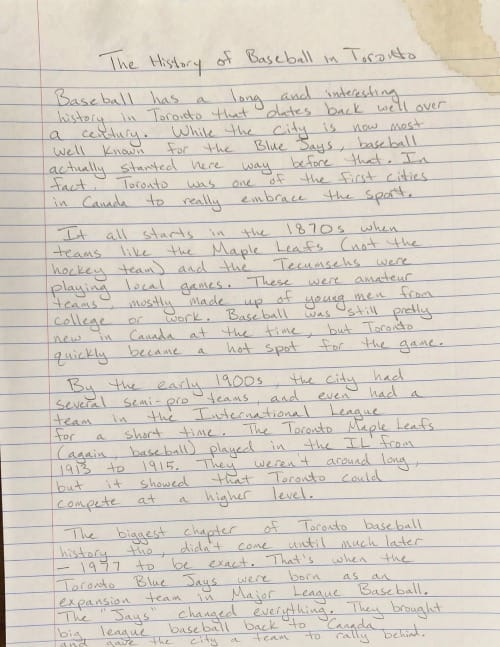
And as great as it is, it's also very scary to know that people are able to generate something eerily realistic. The line between real and AI continues to blur, and you'll have to keep a keen eye more so than usual.
Source: https://openai.com/index/introducing-chatgpt-images-2-0