Why You're Not Getting Views on YouTube and How to Fix It
Not getting views on YouTube? Here is why it happens and how to fix it. From viewer satisfaction and content consistency to YouTube Analytics, the Inspiration Tab, Trends Tab, Ask Studio, and smarter packaging, Andrew Kan from the Kan Do Creators Community breaks down what actually works.

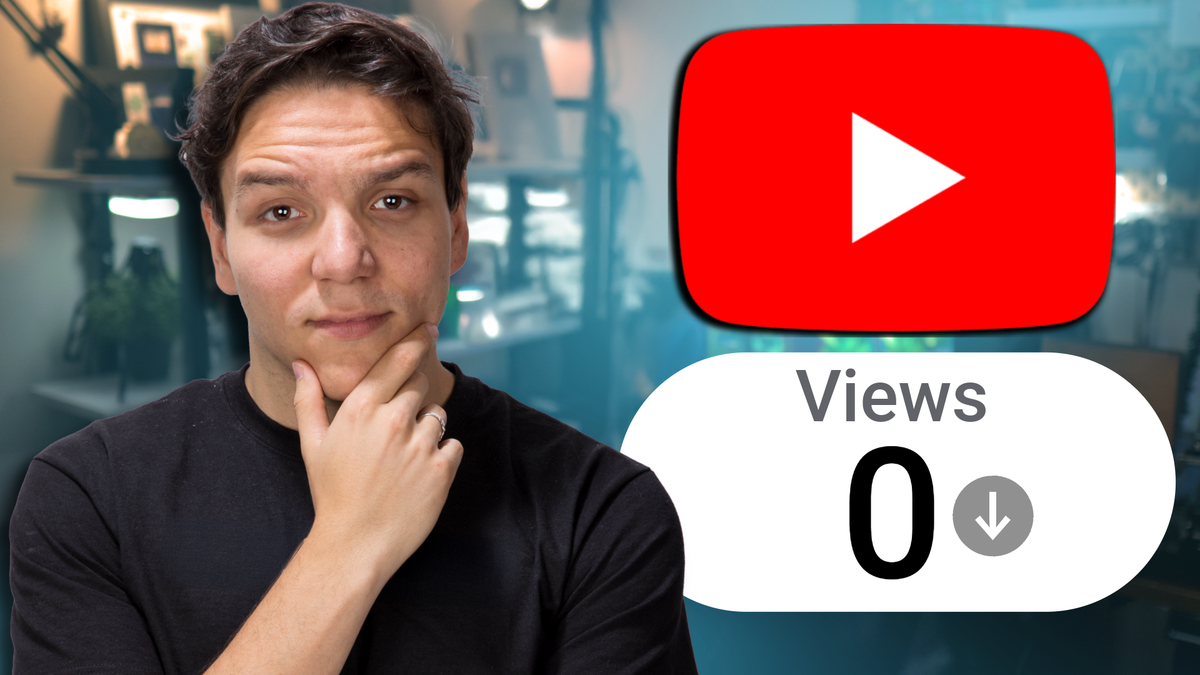
Not getting views on YouTube is one of the most common frustrations creators face, and it usually comes down to a handful of fixable mistakes related to content consistency, audience alignment, packaging, and analytics. Whether you're publishing YouTube videos, Shorts, or live streams, the platform's recommendation system is designed to match content with the viewers most likely to enjoy it, and when that system can't figure out who your content is for, your videos sit unseen. The good news is that once you understand what YouTube and your audience actually care about, you can start making changes that lead to real, sustainable growth.
I've been on YouTube for over 13 years. I helped grow the TubeBuddy channel from around 6,000 subscribers to over 500,000, and through the Kan Do Creators Community (KDCC) that Ike and I run, I work with creators every single day who are dealing with this exact problem. About once a week someone joins our KDCC Discord and tells us their views dropped off a cliff, or that they've been posting consistently and nothing is happening. So I made a video breaking down why this happens and, more importantly, what you can do about it.
You can watch the full video here for the complete walkthrough, but this post will give you the context and the "why" behind everything so you know exactly what to focus on.
What Is Viewer Satisfaction and Why Does YouTube Care About It?
Viewer satisfaction is the core concept behind how YouTube decides which videos to recommend. It goes beyond just counting views or even watch time. YouTube's recommendation system evaluates whether viewers are actually enjoying the content they watch, using a combination of behavioral signals and direct feedback.
According to YouTube's own documentation, the recommendation system learns from whether viewers choose to watch a video, how much of it they watch, and whether they feel satisfied afterward. YouTube uses hundreds of factors to make these decisions, but the ones creators can directly influence include click-through rate, average view duration, average percentage viewed, likes, shares, and even responses to post-watch satisfaction surveys that YouTube sends to viewers.
In 2025 and into 2026, YouTube made a significant shift toward what many in the industry are calling "satisfaction-weighted discovery." This means a shorter video where a viewer watches the entire thing and clicks "like" now sends a stronger signal to the algorithm than a longer video where most people drop off halfway through. Efficiency matters more than length, and satisfaction matters more than raw watch time.
This is a big deal for creators who feel like they need to make longer videos to "game" the algorithm. You don't. You need to make videos that leave your audience feeling like their time was well spent, and I break down exactly how to approach that in the full video.
Why Are My YouTube Videos Not Getting Views?
There are several reasons your YouTube videos might not be getting views, and most of them come down to a disconnect between what you're creating and what your audience (and the algorithm) expects from your channel. Here are the most common issues I see when working with creators.
Are You Switching Content Topics Too Often?
One of the biggest mistakes I see creators make, and one I made myself on my own gaming channel, is switching content topics too frequently. YouTube doesn't just promote your videos to your subscribers. It finds viewers for your content based on their watching habits and interests. When you make 10 videos about a certain topic and they start gaining traction, YouTube has essentially figured out who your audience is and what they expect from you.
When you suddenly pivot to something completely different, the algorithm struggles to find the right audience for that new content, and your existing viewers may not be interested either. I've seen travel bloggers switch to general vlogs and wonder why nobody watched. I've seen beauty channels start talking about gardening and get confused when their audience didn't follow.
Think of it like building a brand. McDonald's started with burgers in 1954 and didn't expand into breakfast until nearly 20 years later. They mastered one thing first, then expanded gradually. As a creator, you're in your "burger-making phase" right now, and that's perfectly fine. Focus on making content you love that you can see yourself creating for the next five years, and let your audience grow around that consistency.
Are You Planning Your Title and Thumbnail After the Video?
Another reason you might not be getting views is that you're creating the video first and worrying about the title and thumbnail afterward. This is backwards. Your title and thumbnail are the very first things people see, whether in search results, the home feed, or suggested videos. They are what determine whether someone clicks or scrolls past your content.
YouTube data consistently shows that the majority of top-performing videos use custom thumbnails, and that faces showing strong emotion can increase click-through rate significantly. Your thumbnail and title should work together as a package, and you should have them planned before you even start recording. This applies to normal videos, Shorts, and live streams alike.
I go deeper into how to approach this planning process in the video walkthrough, but the key takeaway is that packaging is not an afterthought. It's the starting point.
Are You Using YouTube Studio's Built-In Research Tools?
YouTube Studio actually gives creators three powerful tools for understanding their audience and planning content, and most creators are either unaware of them or confusing them with each other. These are the Inspiration Tab, the Trends Tab, and Ask Studio, and they each serve a different purpose.
The Inspiration Tab lives under the Content section in YouTube Studio on desktop. It uses AI to analyze your channel's content and audience behavior, then suggests video ideas based on what your viewers have been watching. It shows potential titles, audience interest levels, and even thumbnail concepts. This is incredibly valuable because it takes the guesswork out of "what should I make next?" and replaces it with data-driven suggestions tailored to your specific audience. The important thing to remember is that the Inspiration Tab is a starting point, not a script. You still need to bring your own perspective, personality, and creativity to every piece of content.
The Trends Tab is a separate tool, and it lives inside YouTube Analytics (not under Content). You might remember it as the Research Tab, which is what YouTube used to call it before renaming it. The Trends Tab gives you insights into broader YouTube search trends, what your audience is interested in across the platform, and content gaps where viewers are searching for something that doesn't have enough quality results yet. While the Inspiration Tab focuses on personalized ideas for your channel specifically, the Trends Tab zooms out and shows you what's happening across YouTube as a whole. Both tools are useful, and using them together gives you a much clearer picture of where the opportunities are.
Ask Studio is YouTube's newest addition, an AI-powered conversational tool built right into YouTube Studio. You can ask it questions in plain language, things like "how did my last video perform?" or "what are my viewers saying in the comments?" and it responds with personalized insights based on your channel's data. Think of it as a creative partner that can summarize your analytics, highlight comment themes, and even help you brainstorm your next video idea.
I go much deeper into all three of these tools and how to use them together in this livestream, so check that out if you want a full walkthrough.
The best videos happen when you find the overlap between what your audience wants to see and what you're genuinely excited to create. When those two things align, everyone wins, including YouTube's recommendation system.
If you're not sure where to start with your content, the KDCC YouTube Glossary and Creator Dictionary at kdcc.social is a free resource with over 175 YouTube terms across 8 categories, and it can help you get familiar with the concepts and vocabulary that drive growth on the platform.
How Should You Read YouTube Analytics to Get More Views?
YouTube Analytics can feel overwhelming, especially if you're new to the platform or you've been avoiding it because the numbers feel discouraging. But learning to read your analytics is one of the most impactful things you can do for your channel, and there are specific metrics to focus on depending on what type of content you create.
What Analytics Matter for YouTube Shorts?
For Shorts, the most important metric to watch is your Swipe Away Rate, which is essentially the Shorts equivalent of click-through rate for regular videos. When viewers scroll through the Shorts feed, they're making split-second decisions about whether to keep watching or swipe to the next video. Your Swipe Away Rate tells you how quickly people are moving past your content.
YouTube analytics shows this as a "Viewed vs. Swiped Away" metric, and research from YouTube strategists analyzing billions of Shorts views suggests that Shorts with a viewed percentage between 70 and 90 percent tend to perform the best. If your numbers are below 60 percent, your hook in the first one to two seconds likely needs work.
It's also worth noting that as of March 2025, YouTube changed how Shorts views are counted. A view now registers the moment a Short starts playing, with no minimum watch time required. This means raw view counts can appear inflated, so paying attention to engaged views and retention metrics is more important than ever.
What Analytics Matter for Regular Videos and Live Streams?
For normal videos and live streams, you want to keep a close eye on your Impressions Click-Through Rate (CTR). This tells you how many people are clicking on your video after seeing the thumbnail. YouTube states that a normal CTR range falls between 2 and 10 percent, and the goal is always to improve on your own channel's average rather than chasing someone else's numbers.
Beyond CTR, pay attention to your Average View Duration and Average Percentage Viewed. These metrics tell you how long people are sticking around and what portion of your video they're actually watching. The higher these numbers are, the more likely YouTube is to recommend your content to a wider audience. A video with strong retention tells YouTube that viewers found real value in your content, and that signal carries enormous weight in the recommendation system.
How Do You Start Getting More Views on YouTube?
Once you understand what's going wrong, fixing it becomes a matter of applying a few key principles consistently. Here's the framework I teach inside the Kan Do Creators Community.
Put Your Audience First, Always
This is the foundation of everything. When you put your audience first, you're making content decisions based on what your viewers want to see, not just what you feel like making. Your personality and opinions absolutely matter, but they need to serve the viewer. When you forget this and create purely for yourself, YouTube reflects that back to you in the form of lower engagement and fewer recommendations.
Check the Inspiration Tab regularly, look at what your audience is already watching, and find ways to create content that meets their interests while staying true to your voice. Use the Trends Tab to spot broader search trends and content gaps. And if you want a quick read on how things are going, Ask Studio can summarize your analytics and comment themes in plain language so you're not digging through dashboards manually. I walk through all three tools in detail in this livestream.
Plan Your Packaging Before You Hit Record
Strong titles and thumbnails are not optional. They're the gateway to everything else. Before you record your next video, Short, or live stream, know exactly what the title and thumbnail will be. If you can't create a compelling title and thumbnail concept, the idea itself might need refining.
Match the Content Type to the Idea
Not every idea works as a full-length video. Sometimes a quick insight is better served as a Short, and sometimes a topic needs the depth and interaction of a live stream. Part of becoming a better creator is developing the instinct for which format best serves each idea, and I talk about this more in the video.
Stay Consistent and Review Your Data
Whether it's your posting schedule, your niche focus, or your style, consistency helps your audience and YouTube know what to expect from you. Combined with regular analytics reviews, this creates a feedback loop where you're constantly learning what works and refining your approach.
Where Can You Get Help Growing Your YouTube Channel?
YouTube is a marathon, not a sprint, and having a community around you makes the process so much better. The Kan Do Creators Community has a free Discord where creators share feedback, ask questions, get channel reviews, and support each other through the ups and downs of YouTube growth. Ike and I are in there regularly, and we'd love to see you.
If you want the full breakdown of everything I covered here, with specific examples and actionable steps you can take today, watch the video. This blog post gave you the context and the reasoning, and the video ties it all together with a complete walkthrough.
If I Kan, You Kan Too.
Sources and Additional Reading: