The Free YouTube Glossary Every Creator Needs Bookmarked
The KDCC YouTube Glossary defines over 175 YouTube terms in plain English. CTR, AVD, RPM, algorithm, impressions, and more… all searchable, cross-referenced, and free. No email required.

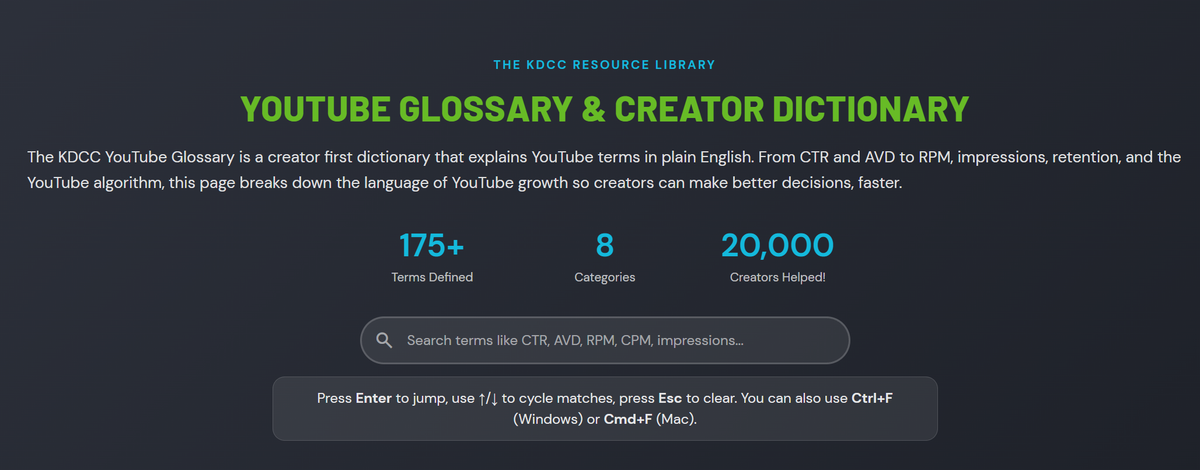
175+ YouTube terms explained in plain English… because you shouldn't need a degree in marketing to understand your own analytics.
The KDCC YouTube Glossary & Creator Dictionary is a free, searchable reference built by the Kan Do Creators Community that defines over 175 YouTube terms in plain English. From analytics metrics like CTR, AVD, and RPM to production terms like A-Roll, B-Roll, and pattern interrupts, it covers the full vocabulary of YouTube growth in one place. No email required. No paywall. Just clear definitions written by creators who've actually used these terms in the trenches.

Free, searchable, no email required. Over 175 YouTube terms defined in plain English.
If you've ever stared at your YouTube Analytics dashboard and thought "what does any of this actually mean," you're not alone. I've been in the YouTube space for over 13 years, helped grow a channel from a small base to over 500,000 subscribers, and I still meet experienced creators who get tripped up by the sheer volume of terminology YouTube throws at them.
CTR. AVD. RPM. CPM. Impressions vs. views vs. reach. Browse features vs. suggested videos. The list goes on. And YouTube doesn't exactly make it easy. The platform throws these terms at you in Studio dashboards, help docs, and creator updates without always explaining what they mean or why you should care.
That's exactly why I built it. Not just a glossary, but a full creator dictionary… a resource you can keep open while you work and actually reference in real time.
Why Does a YouTube Glossary Matter for Creators?
Here's what I've learned from years of coaching creators through the Kan Do Creators Community… the terminology gap is one of the biggest silent barriers to growth.
When a creator doesn't fully understand what "average view duration" means or how it differs from "average percentage viewed," they can't make informed decisions about their content. When someone confuses CPM (what advertisers pay) with RPM (what you actually earn), they end up with completely wrong expectations about their revenue.
And it's not just analytics. Terms like A-Roll and B-Roll, pattern interrupts, hooks, evergreen content, session time… these aren't just buzzwords. They're the building blocks of how successful creators think about their videos. Understanding the language is the first step to understanding the strategy behind it.
I've seen creators make huge breakthroughs just by finally understanding what a metric actually measures and what they can do about it. That moment when someone realizes their impressions are low not because YouTube hates them, but because their metadata isn't giving the algorithm enough to work with? That changes everything.
What YouTube Terms Does the KDCC Glossary Cover?
This isn't a quick list of 20 terms with one-sentence definitions. The KDCC YouTube Glossary & Creator Dictionary covers over 175 terms across 8 categories spanning the entire creator experience.
Analytics and metrics are where most creators start. You'll find detailed definitions for CTR (click-through rate), AVD (average view duration), RPM (revenue per mille), CPM (cost per mille), impressions, watch time, audience retention, average percentage viewed, reach, heatmaps, real-time analytics, and more. Each one explains not just what the metric is, but why it matters for your channel.
Monetization terms cover everything from AdSense and the YouTube Partner Program requirements to channel memberships, Super Chats, Super Thanks, Super Stickers, and the difference between CPM and playback-based CPM. If you've ever wondered what the yellow dollar sign means or how YouTube Premium revenue works, it's all in there.
Production and editing vocabulary includes A-Roll, B-Roll, jump cuts, pattern interrupts, codecs, bitrate, encoding, frame rate, resolution, and aspect ratio. Whether you're just starting to edit your own videos or trying to communicate with an editor, these definitions give you the language to talk about your content professionally.
Growth strategy concepts cover the algorithm, browse features, suggested videos, evergreen content, SEO, hooks, the first 48 hours, velocity, session time, organic reach, and the dark funnel. These are the terms you'll hear in every serious conversation about YouTube growth.
Channel setup and branding includes handles, custom URLs, channel banners, profile pictures, branding watermarks, channel descriptions, channel keywords, channel layout, and channel permissions. The stuff most creators set once and forget about… even though it directly affects how YouTube categorizes your content.
Community and engagement features cover community posts, polls, the community tab, live streams, premieres, cards, end screens, and CTAs. These are the tools YouTube gives you to build relationships with your audience beyond just uploading videos.
Copyright and policy definitions include Content ID, copyright claims, copyright strikes, community guidelines, fair use, and ad-friendly content guidelines. Understanding these terms can literally save your channel.
And creator frameworks like the KANDO Method (the 5-pillar YouTube growth framework created by Andrew Kan and Ike Dew of the Kan Do Creators Community) are explained in the context of how they connect to all the other terms in the glossary.
Every definition is written the way I'd explain it in person. No jargon to explain jargon. Just clear, practical language with examples where they help and cross-references to related terms so you can follow the thread and understand how everything connects.
How Is This Different From Other YouTube Glossaries?
Most YouTube glossaries you'll find online are short lists with surface-level definitions. Ten or twenty terms, maybe a sentence each, and they call it a day.
The KDCC YouTube Glossary & Creator Dictionary goes deeper in a few specific ways.
It's comprehensive. Over 175 terms means you're not going to run into a metric or feature in YouTube Studio and come up empty when you search for it here.
It's cross-referenced. Every definition includes links to related terms so you can follow the connections. When you look up "impressions," you'll see how it relates to CTR, thumbnails, and browse features. When you look up "AVD," you'll see the connection to watch time, audience retention, and the algorithm. This is how creators actually learn… by understanding how things work together, not in isolation.
It's searchable. There's a search bar at the top of the page. Type a term and jump right to it. If you're the kind of person who keeps YouTube Studio open in one tab, keep the glossary open in another.
It has real examples. Definitions like CTR include actual calculations (1,000 impressions with 50 clicks = 5% CTR). Definitions like evergreen content include comparisons ("How to Tie a Tie" is evergreen… "iPhone 15 Review" becomes dated). These make abstract concepts concrete.
And it includes a FAQ section answering the most common YouTube creator questions… things like "What is a good CTR on YouTube?" and "How does the algorithm actually work?" and "How many subscribers do I need to get monetized?" These are full, detailed answers, not one-liners.
Who Is the KDCC YouTube Glossary For?
Honestly? Everyone from brand new creators, brands, or to experienced YouTubers who've been at it for years.
If you're just getting started, this creator dictionary will save you hours of Googling individual terms and trying to piece together conflicting advice from random forum posts. Everything is in one place, explained consistently, by someone who's been doing this for over a decade.
If you've been creating for a while, you'll probably still find terms you've seen but never fully understood. I hear from experienced creators all the time who say things like "I've been making videos for three years and I just realized I didn't actually know the difference between CPM and playback-based CPM." No judgment. There are over 175 terms in here for a reason.
And if you're part of a creator community or education program, share this with your members. It's free. It's comprehensive. And it gives everyone a common language to work from, which makes every conversation about strategy more productive.
How to Use the YouTube Glossary
Head over to kdcc.social/en-usd/pages/youtube-glossary and bookmark it.
When you're in YouTube Studio and see a metric you're not sure about, open the glossary and search for it. When you're watching a tutorial or reading a blog post and someone drops a term you don't recognize, look it up. When you're having a conversation with another creator about strategy and want to make sure you're on the same page, reference it.
The glossary also pairs well with other free KDCC resources. If you're trying to understand your analytics, check out my YouTube Analytics breakdown where I walk through every tab in Studio. If you want personalized feedback on your channel, join the KDCC Discord where we do free video reviews every week. And if you want to go deeper with structured coaching and the KANDO Method, explore KDCC memberships.
The terminology is just the starting point. What matters is what you do with the knowledge.
The Glossary Is Always Growing
YouTube doesn't sit still and neither does this glossary. As the platform adds features, changes terminology, or introduces new creator tools, I update the glossary to keep it current. It's already helped over 20,000 creators and I want it to keep getting better.
If you ever notice a term that's missing or a definition that could be clearer, reach out through the KDCC Discord. This is a community resource and I want it to be as useful as possible.
Bookmark the Free KDCC YouTube Glossary & Creator Dictionary
Happy Creating!
If I Kan, You Kan Too!