Do YouTube Tags Still Matter? The Truth Every Creator Needs to Hear
YouTube tags used to be a big deal, but the platform has evolved far beyond needing creators to manually label their content. Here is when tags still matter, why keywords are what actually drive views, and how to use both correctly.

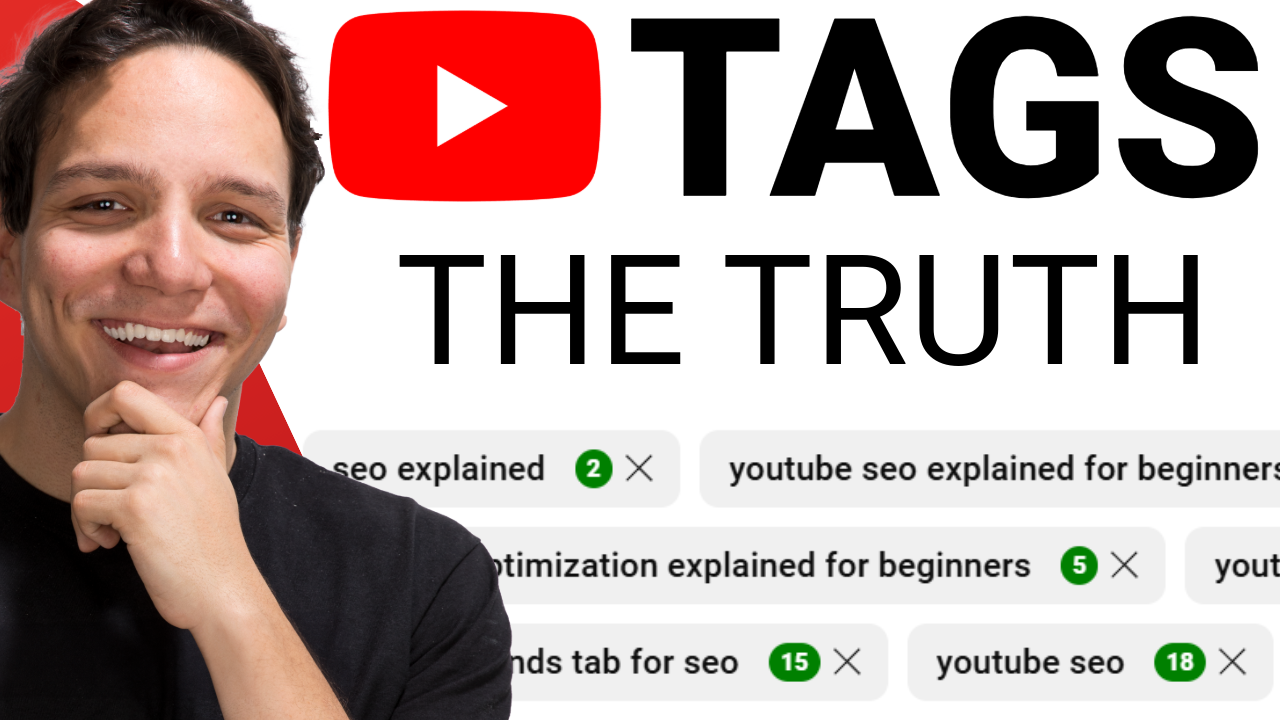
YouTube tags are a part of YouTube metadata, they are keywords added to a YouTube video's upload settings that were originally designed to help YouTube categorize and recommend content, though their influence on discoverability has decreased significantly as the platform's systems have evolved to rely on titles, descriptions, transcripts, and visual analysis instead. Creators can enter up to 500 characters worth of tags in the "Show More" section of the video upload page, and these tags remain hidden from public view unless revealed through third-party browser extensions.
I have seen creators obsessed and stressed over YouTube tags, convinced that finding the perfect combination will unlock a flood of views. After spending over 13 years on YouTube, including my time as the first employee at TubeBuddy where I helped grow their channel from roughly 6,000 to over 500,000 subscribers, I can tell you that the role of tags has changed dramatically. The painful truth is that YouTube tags barely matter the way they used to, and YouTube themselves have confirmed this. So why are tags still here, and when should you actually use them?
What Are YouTube Tags and Where Do You Find Them?
YouTube tags are hidden metadata fields that sit inside your video's upload settings, tucked under the "Show More" section on the upload page. You get up to 500 characters to work with, and these tags are completely separate from hashtags, which appear publicly on a video. Tags are not visible to viewers by default, and the only way someone can see your tags is through third-party browser extensions designed to reveal that data.
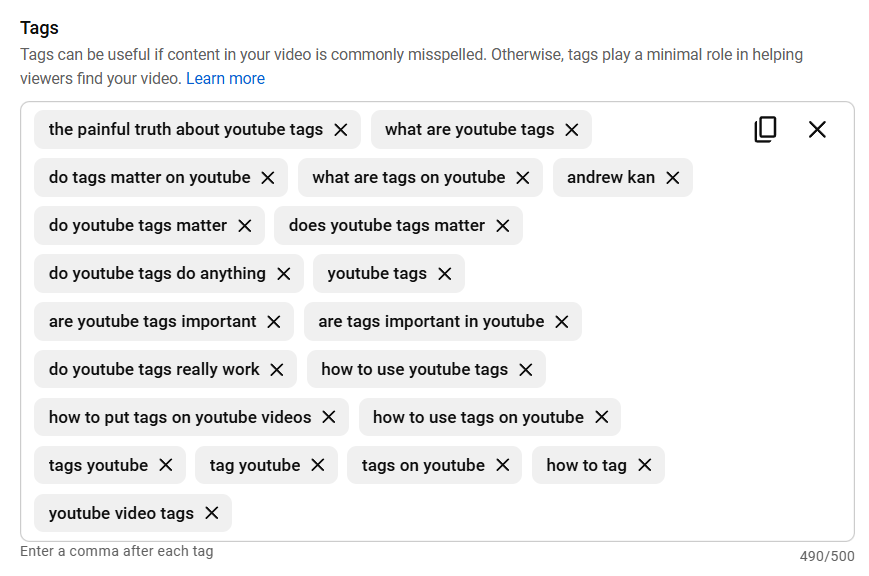
The confusion between tags and hashtags is one of the most common misunderstandings I encounter in the Kan Do Creators Community. They look similar on the surface, but they serve entirely different functions on the platform, so it is important to understand the distinction before you spend time on either one.
Why Did YouTube Tags Used to Be So Important?
Earlier in YouTube's history, tags played a significant role in helping the platform understand what a video was about. YouTube relied heavily on tags to categorize content and decide what to recommend to viewers, which is exactly why tools like TubeBuddy and VidIQ built entire features around tag research and optimization. During my time at TubeBuddy, I was right in the middle of that era, and I recommended tags to creators regularly because they genuinely could help move the needle at the time.
The challenge was that creators, myself included, would often get confused about what to put in tags. We would add irrelevant information, misunderstand how they worked, or simply guess at what might help. YouTube recognized this pattern across the platform and realized there had to be a better, more reliable way to figure out what a video is actually about without depending on what creators manually typed into a metadata field.
Why Don't YouTube Tags Matter as Much Anymore?
YouTube's technology has evolved far beyond needing creators to manually label their content. The platform now analyzes your video's title, description, transcript (your captions), and even individual frames and audio within the video itself to determine what your content is actually about. That level of analysis makes manually entered tags almost redundant for most videos.
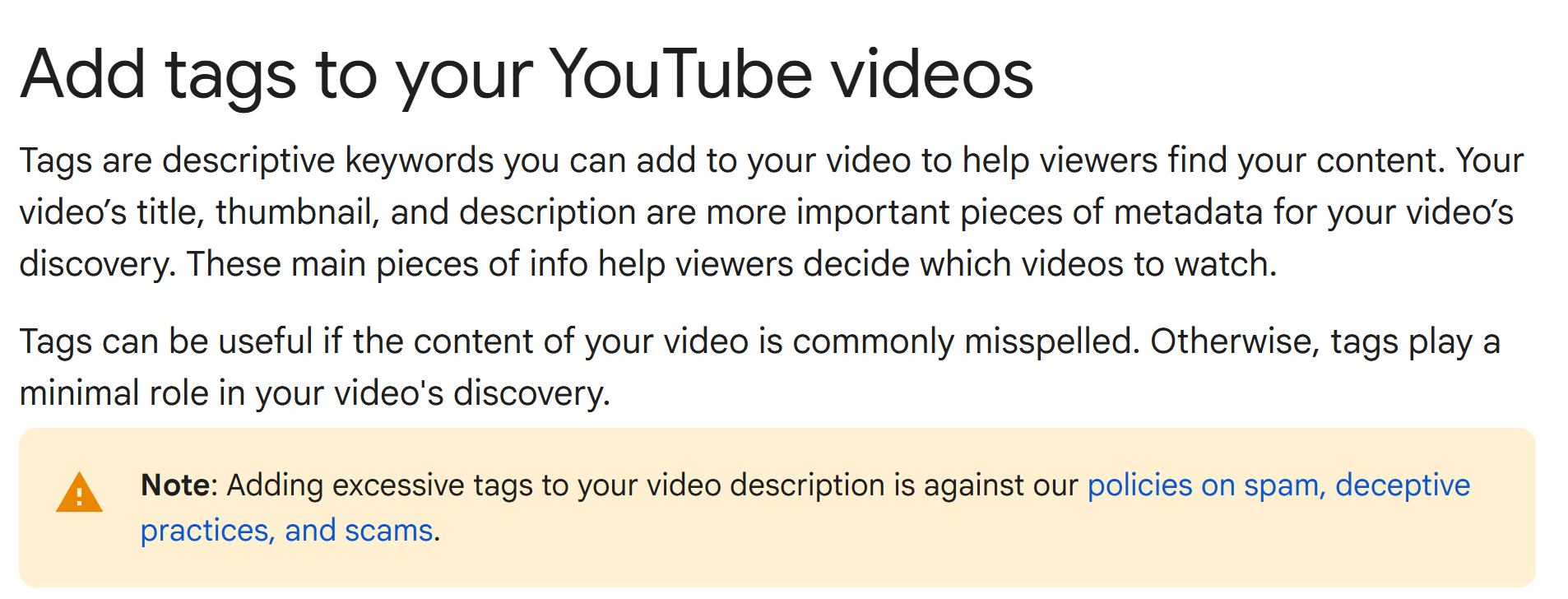
What you say in your video now carries significantly more weight than any tag you could type. If you are spending more time hunting for the perfect tags than crafting a compelling title and thumbnail, you are focused on the wrong priority entirely. According to YouTube's own support documentation, tags play a minimal role compared to other metadata elements, and their primary remaining value is helping with commonly misspelled words.
Are YouTube Tags and Keywords the Same Thing?
This is one of the biggest misconceptions I see creators make, and I want to clear it up definitively: tags and keywords are not the same thing.
Keywords are the foundation of your video's success. They are what you base your topic, your video content, your title, and your thumbnail around. Keywords help YouTube understand your content, and more importantly, they help real people decide whether to click on your video or not. Keywords are strategic and intentional, woven throughout every element of your content from the words you speak to the text on your thumbnail.
Tags, on the other hand, are based on a singular keyword and exist to support those keywords. They are a supplementary metadata field rather than a strategic foundation. YouTube actually reinforced this distinction on the backend by changing the label from "channel tags" to "channel keywords," which signals that even YouTube sees a meaningful difference between the two concepts.
When Should You Still Use YouTube Tags?
Tags are not completely useless, and that is precisely why YouTube has not removed them from the platform. There are a few specific situations where tags still provide value.
Handling common misspellings is one of the best remaining use cases. On my own channel, I tag "Andrew Can" with a C even though my name is actually Kan with a K, because I know viewers frequently misspell it. Tags give YouTube that extra signal to connect misspelled searches with the right content.
Covering niche or highly specific topics is another scenario where tags earn their keep. If you are creating content about something so specialized that YouTube might not immediately recognize the subject matter, tags based on your title and targeted keywords can provide helpful additional context that reinforces what the video covers.
The key principle is that tags should support your content rather than replace good optimization. They should align with and reinforce your video's title, description, keywords, transcript, and even your chapter names to help YouTube build a stronger understanding of your video's topic.
Where Should You Place Keywords for Maximum Impact on YouTube?
Understanding where to put your keywords matters far more than perfecting your tags, and the placement hierarchy I walk through in my video makes a real difference in how YouTube processes your content. Here is a look at what matters most and why.
Your video content itself sits at the top of the priority list. YouTube listens to what you say, and naturally mentioning your keywords throughout your video helps the platform understand your content at a fundamental level. I did exactly this with my video about YouTube tags, where the title and the words I spoke throughout the video were deliberately aligned.
Your title needs to be clear, clickable, and built around keywords that real people actually search for, while matching what you say in the video itself. A disconnect between your title and your actual content sends mixed signals to the algorithm.
Your thumbnail is influenced by keywords more than most creators realize. If your video is about learning how to cook, your thumbnail should visually represent that topic so viewers immediately understand what they are clicking on.
Your description should reinforce your title and include key phrases naturally, especially in the first 200 characters that appear above the fold. The keywords you use in your tags should also appear in your description to create that reinforcement loop.
YouTube tags come after all of these elements. They should match your title, description, and transcript rather than serving as random words thrown in hoping for more views. I break down exactly how to tie all of these elements together in my full video walkthrough.
How to Research Keywords for YouTube Using Free Tools
YouTube actually provides a free keyword research tool that many creators overlook entirely. The Trends tab inside your YouTube Analytics section shows you what people are actively searching for, what your audience is interested in, and where content gaps exist that you could fill. The process I use starts with identifying a video topic, validating demand through the Trends tab, and then weaving those keywords naturally across every part of the metadata stack.
Learn more about YouTube's Free Keyword Research Tool Here: https://blog.kdcc.social/free-youtube-keyword-research-tools/
The specifics of how I run this research process and tie it all together is something I cover step by step in the video, because seeing it in action makes the workflow click in a way that reading about it alone cannot replicate.
The Bottom Line on YouTube Tags
The painful truth is that tags do not drive views. Keywords do, but only if you use them correctly across all parts of your metadata working together as a unified system. Focus on making your video content, title, thumbnail, and overall viewer experience as strong as possible, ideally packed with keywords your audience is genuinely interested in. That is what actually makes a difference and helps YouTube recommend your content to the right people.
Are YouTube tags completely useless? No, and that is exactly why YouTube has kept them on the platform. Are they worth your time? Unless you know precisely what you are doing and where tags fit into the bigger optimization picture, the honest answer is not really. Instead of worrying about tags, spend that energy on your topics, titles, thumbnails, and SEO practices that move the needle.
If you want to learn how to fully optimize a video with SEO from start to finish, watch the full walkthrough here. I'm Andrew Kan from the Kan Do Creators Community, and remember: if I Kan, you Kan too.