YouTube Membership vs Uscreen: Which Membership Platform Should Creators Actually Use?
YouTube Membership and Uscreen both promise recurring revenue and a closer connection with your audience. Here is a side-by-side breakdown of features, pricing, and what actually works so you can choose the right platform for your channel.


Whether you're just starting as a creator or a seasoned YouTuber looking to maximize recurring revenue, choosing the right membership platform can make or break your YouTube monetization strategy.
Building a membership is one of the smartest moves a creator can make. But picking the right platform? That's where things get complicated.
YouTube Memberships and Uscreen both promise recurring revenue and closer community connection. The real question is which one actually fits your channel, your audience, and the way you create.
Let's break it down.

Want to turn your YouTube audience into paying members? Uscreen lets you build your own membership site, launch an app, and keep more of what you earn. The link below is an affiliate link.
The features of YouTube Membership.
When the KDCC first started, we actually had started our membership on YouTube, only to eventually move it to another platform.
With Membership on YouTube, you'll have access to the basic features that most other third-party platforms offer.
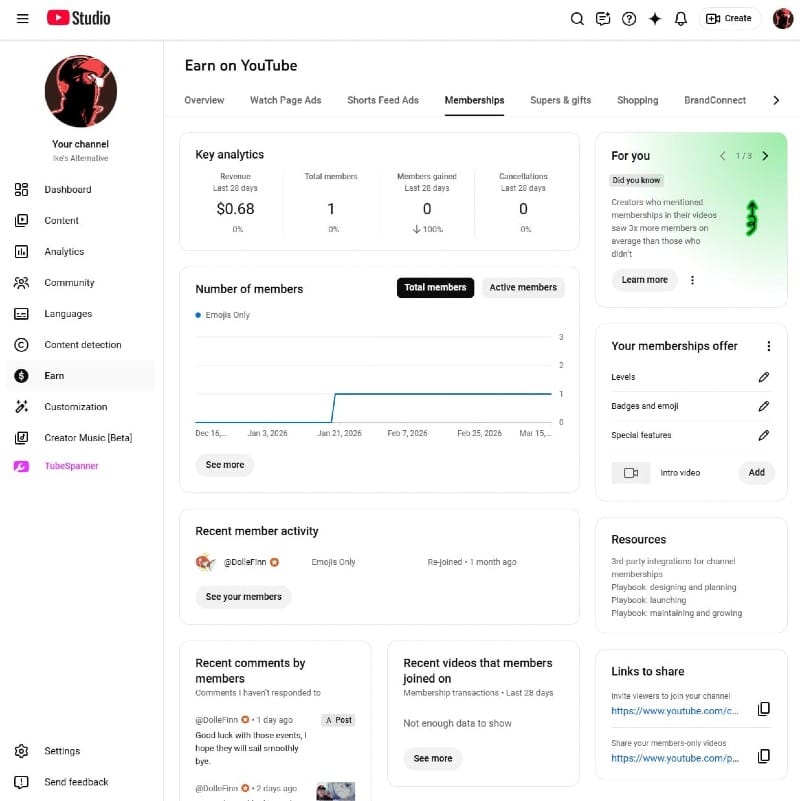
The dashboard is fairly basic, showing you:
- Key analytics such as the revenue, total member, members gained, and cancellations
- Number of members (total vs active)
- Recent member activity
- Recent comments by members
- Recent videos that members joined on
- Links to share (your Join link for the Membership and your Member-only videos)
The features that are included are:
- Tier levels
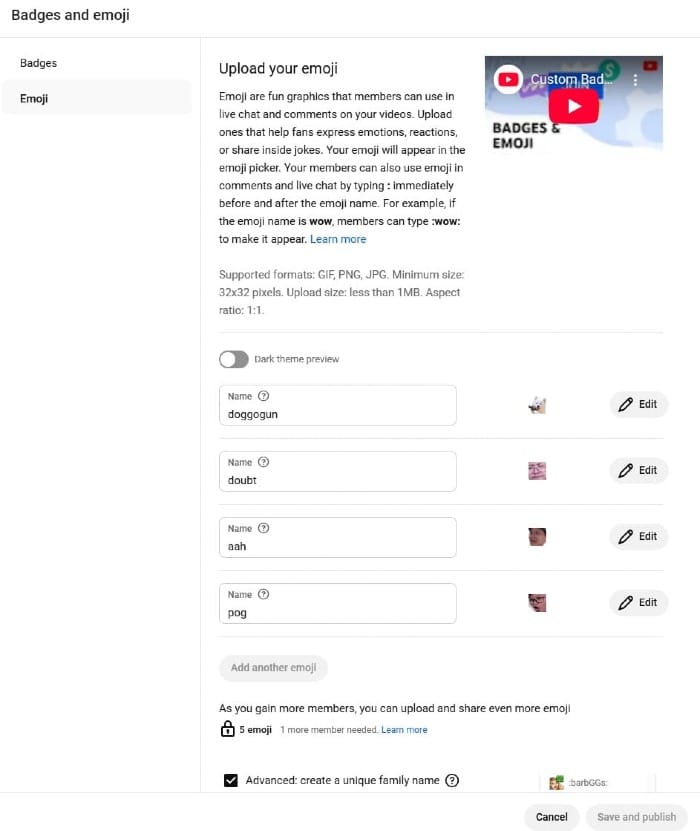
- Custom badges and emojis
- Custom intro video that potential members can see
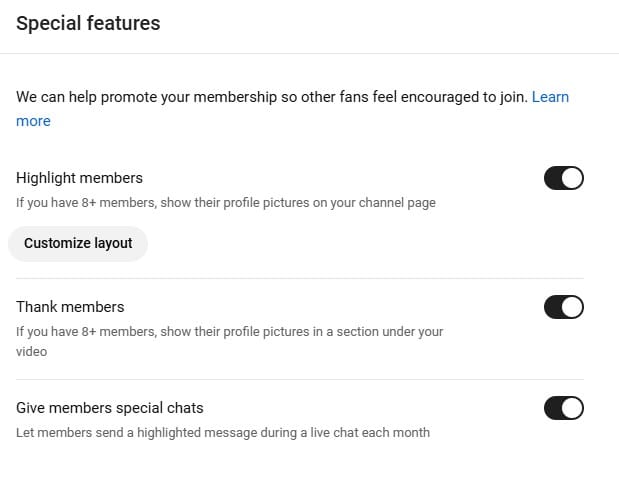
Then there are the special features, which includes:
- Highlighting members (if you have 8+ members) on your channel page
- Thanking members by showing their profile pictures under your video
- Letting members send a highlighted message during a live chat each month
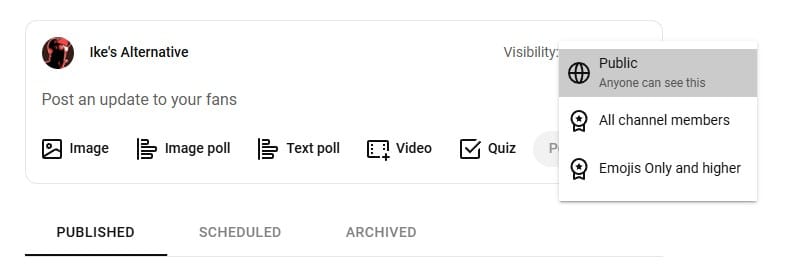
You can create Member-only videos with the option to set it as Members first before making it public (giving Members early access).
You could also livestream for Members only or make it a public livestream with a Member-only chat.
On the Community side, you can create Member-only posts such as polls so that they can vote for the next show or game that you're doing.
The features of Uscreen.
Uscreen offers the same basic functions of memberships that YouTube provides, and much more.
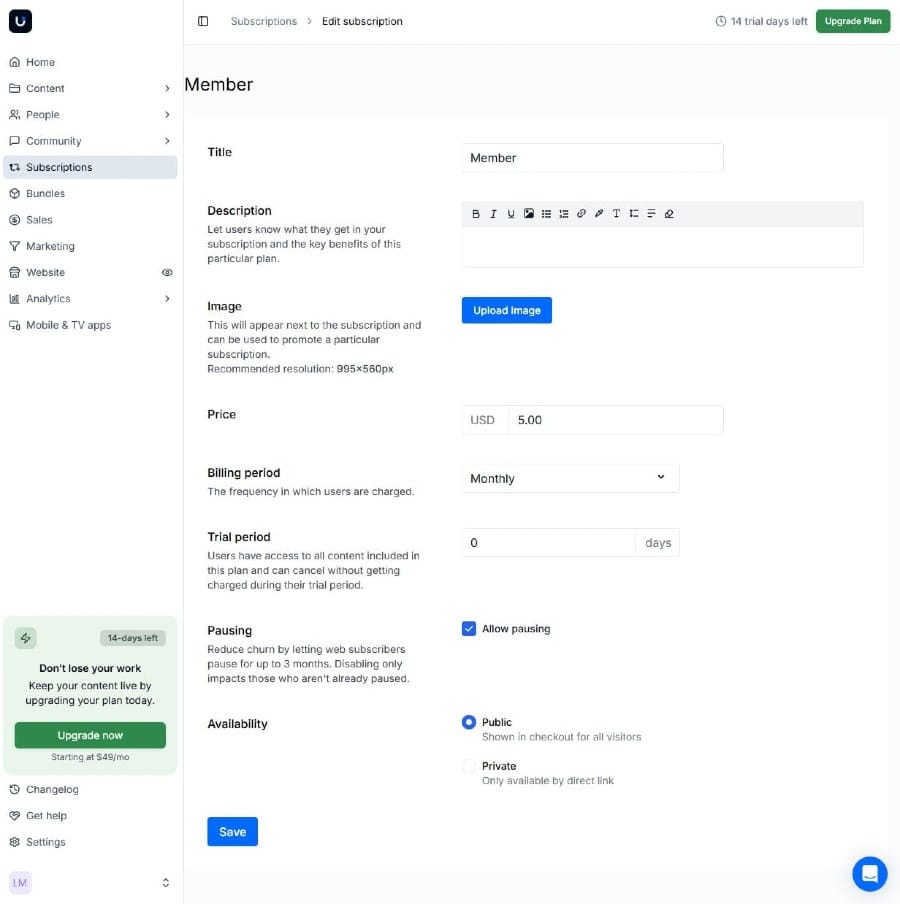
You can create different tiers, but unlike on YouTube, Uscreen allow you to set a trial period, the billing period, whether people can pause the membership or not, and if the tier is for public or private.
The pause feature is pretty ingenious when it comes to membership because this allows people to pause up to 3 months, instead of cancelling.
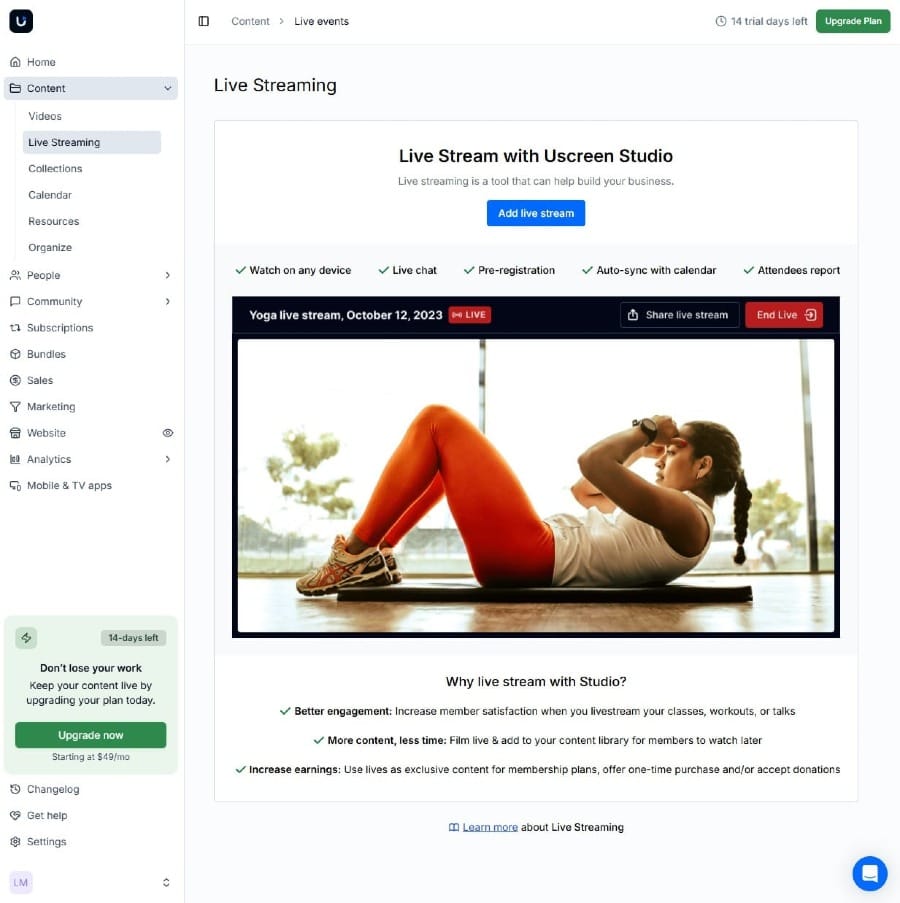
You can create your own Netflix-style catalogue of videos that you can upload directly to Uscreen's server. The same goes for livestream!
If you're a yoga channel that does a weekly live yoga sessions, you can set these streams on a calendar so your members know when it's coming.
Got a library building up? Uscreen lets you group videos and livestreams into Collections so viewers can binge your best stuff. And if you want to go further, you can sell or rent individual videos for additional revenue.
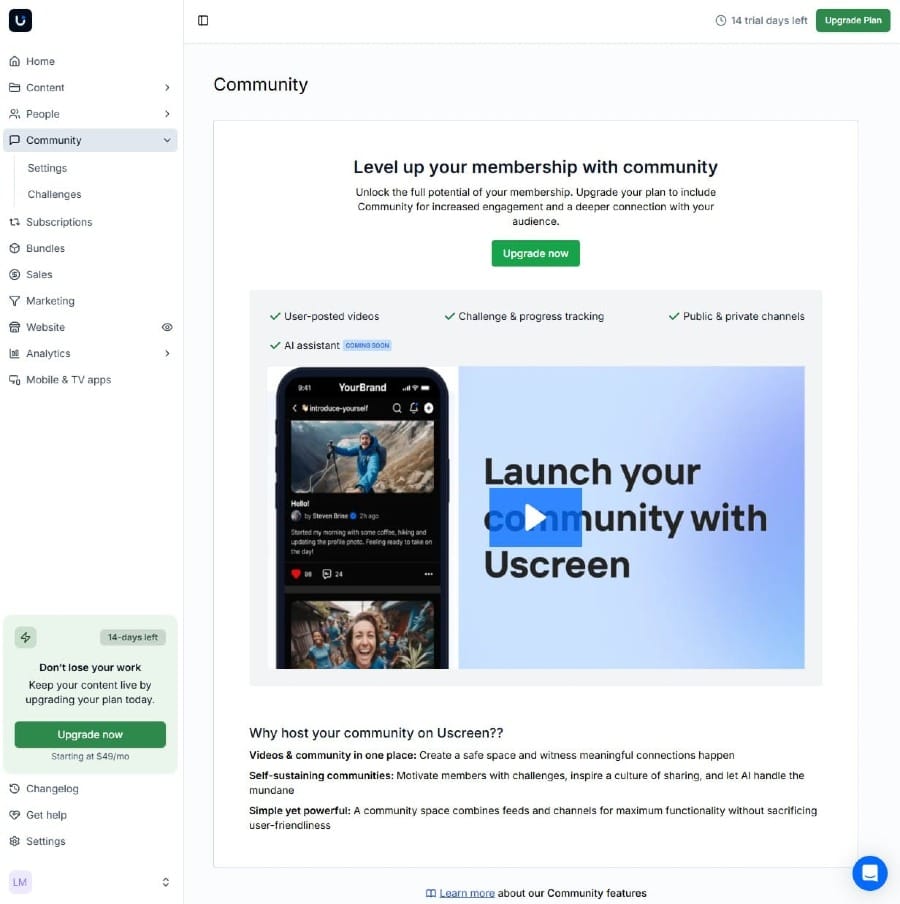
Uscreen builds community right into your content. Members can comment on your video/livestream, track their progress, and join challenges you create to keep them motivated and coming back.
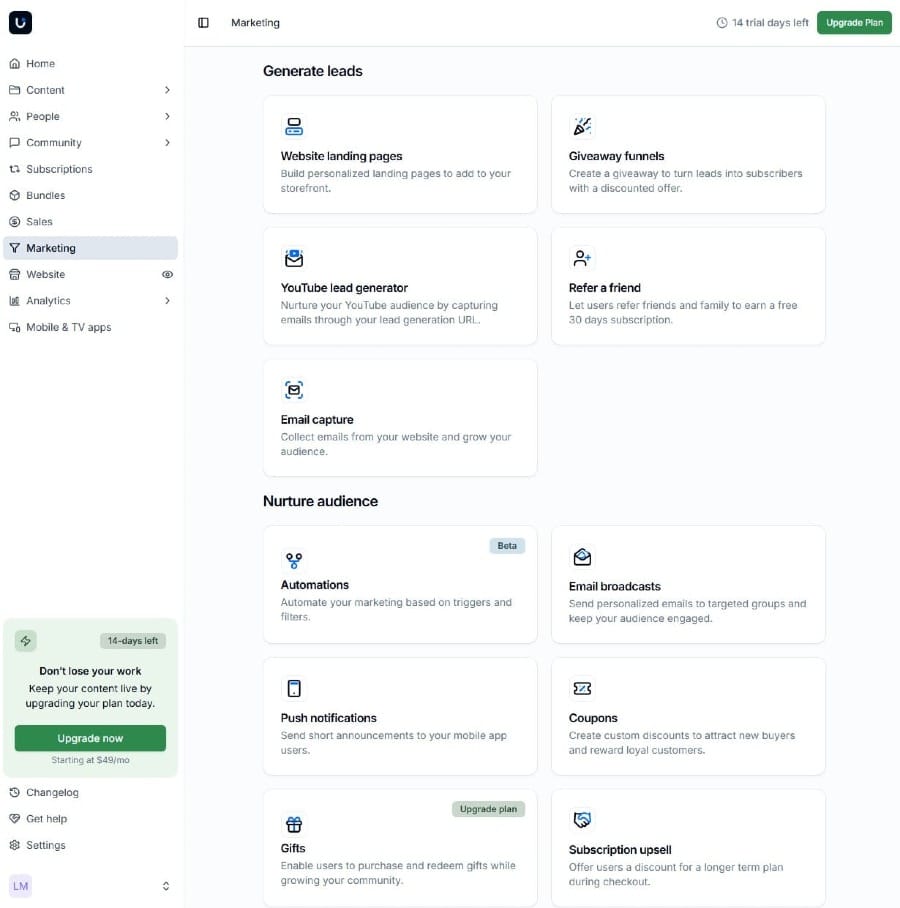
It gets even better with Uscreen's marketing features.
- Create your own landing page with Uscreen's website builder, giving you access to creating a professional-looking site where all your videos live
- Collect emails from your website and grow your audience
- Capture emails from your YouTube audience through a lead generation URL
- Automate your marketing based on triggers and filters
- Send personalized emails to targeted groups
- Send short announcements to your mobile app users
- Giveaway gifts or coupons
- Let former subscribers come back with another free trial
- AND SO MUCH MORE
YouTube Membership vs Uscreen
Head-to-head
What makes YouTube Membership great.
The best part about YouTube Membership is the fact that it's integrated into your channel. No need to bring your subscribers to a third-party platform, making it a very easy experience for them.

Another thing to consider is that you can have a YouTube Membership simultaneously with another third-party platform, like Uscreen.
What makes Uscreen great.
Think of Uscreen as more than a membership platform. You can build your website, run email marketing, and even launch a branded mobile app without needing extra tools.
Almost everything you want, Uscreen has.
Things to consider with YouTube Membership.
In order to get YouTube Membership, you must be a part of the YouTube Partner Program. Luckily, you only need 500 subs and 3k watch hour in order to get Memberships.
YouTube takes 30% of your revenue, while you keep 70%. This can be a big chunk, consider that other platforms like Patreon only takes 10%.
Although YouTube tries to make Member-only videos more visible to viewers who they assume would be potential members for your channel, it creates a problem where viewers getting served with Member videos more often... instead of your regular videos.
Then there's the issue if you post too many Member-only videos, it can make your channel page feel very cluttered.
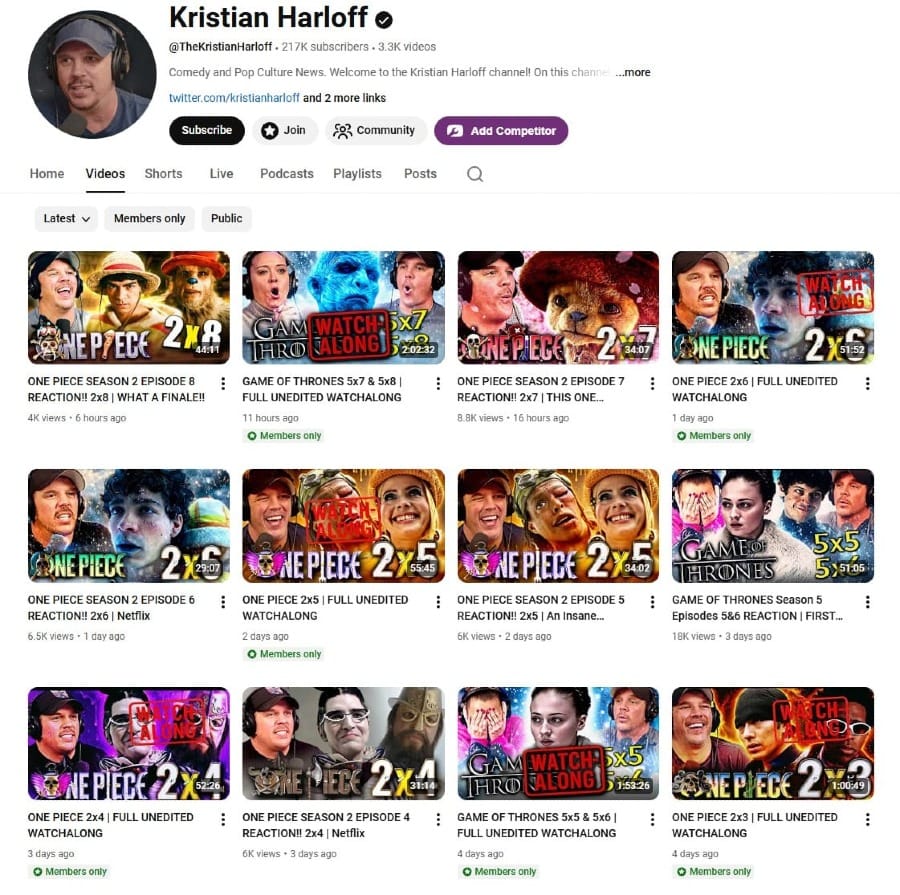
YouTube allow viewers to choose to see only public or Member-only, but most don't really click on those filter or they wish they could make public the default filter.
Things to consider about Uscreen.
We recommend you try out Uscreen for free as they offer a 14-day trial without the usage of a credit card. It'll give you a feel of what Uscreen has to offer and lets you peruse through their dashboard.
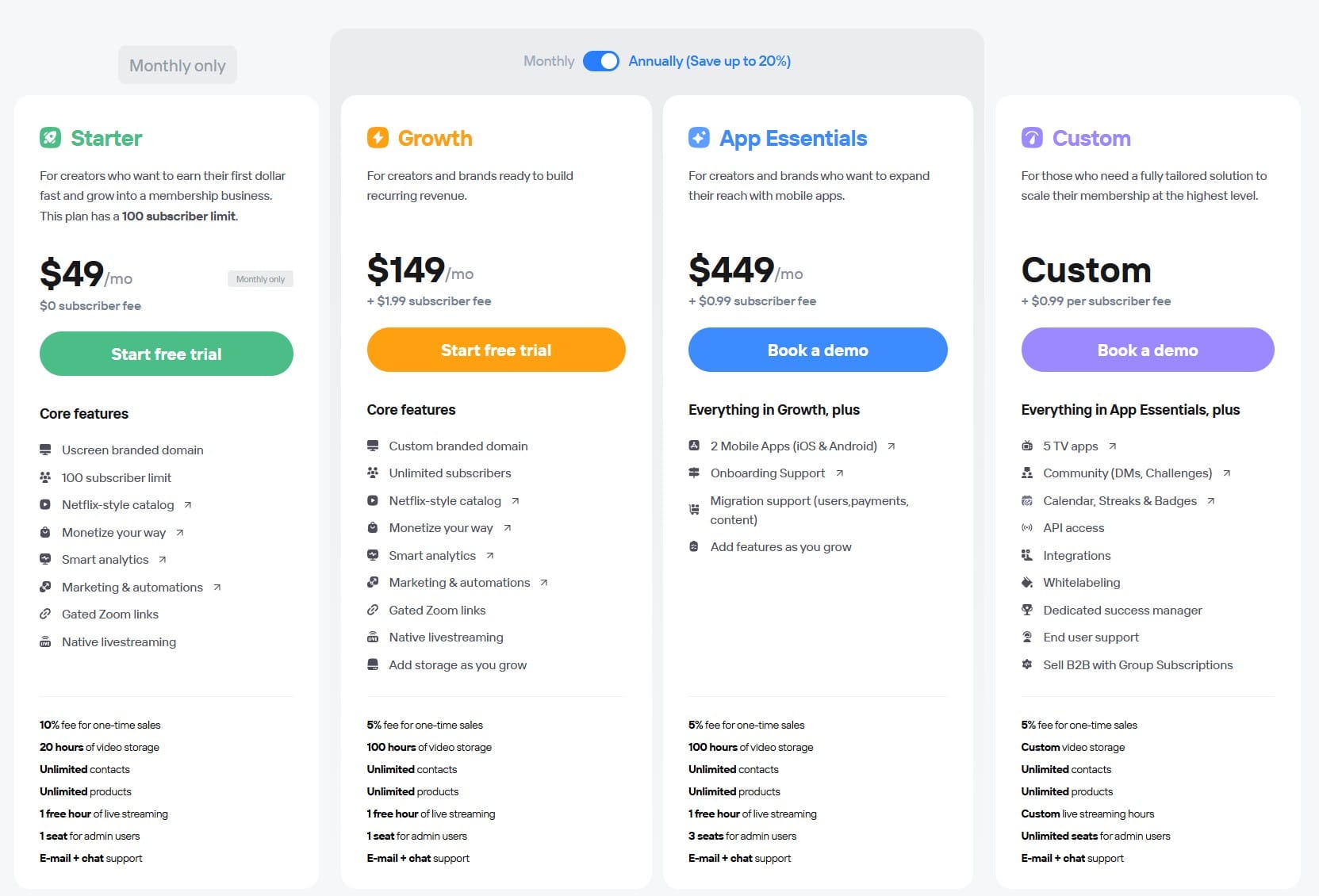
However, the most affordable pricing option from Uscreen starts at $49/mo, with the next tier being $199/mo ($149/mo if paid annually).
Depending on the tier, you'll also pay a subscriber fee of $0 - $1.99 per subscribers and 5% - 10% fee of one-time sales.
You don't need to wait to be a part of the YouTube Partner Program to get Uscreen, but you do need an income stream and a focused mind.
Which should you use? YouTube Memberships or Uscreen?
If you're just starting out, and you're in the YouTube Partner Program, we recommend trying out the YouTube Membership.
Test the waters. See what you like and what you don't like.
Then, when you want more control, and have built a dedicated fanbase, set your sights on Uscreen to really flesh out your membership.
As always we recommend to use what works best for you! We have found that Uscreen over the years has been more of what we need, and can't wait to build there.