YouTube Shows: The New Way to Turn Your Playlists Into an Actual TV Series
YouTube Shows let creators turn a plain playlist into a structured series with seasons, numbered episodes, and a dedicated Show Page that YouTube surfaces in Recommended Shows and Continue Watching.
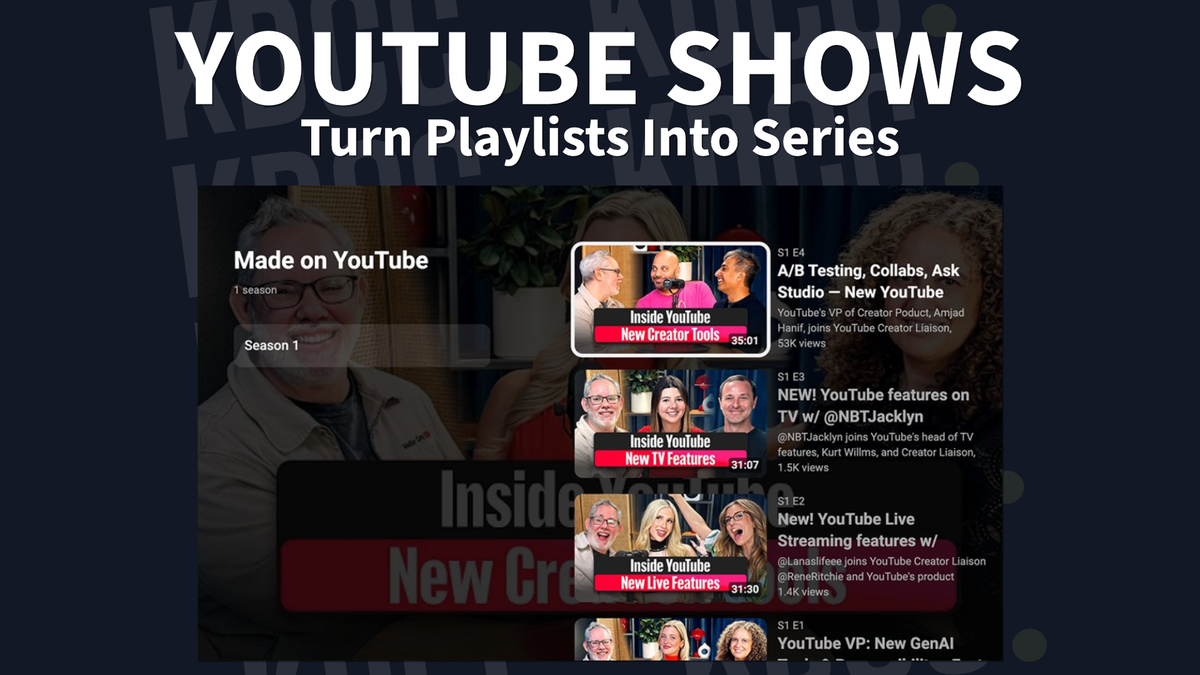
If you make original series or post episodic content, YouTube Shows is for you.
This feature is rolling out now to creators in the YouTube Partner Program, so pop into YouTube Studio and check if you've got the Shows tab yet.

Let's break down what it actually is, how to set one up, why you should care, and how it's different from a regular playlist.
What is YouTube Show?
YouTube Show is exactly what it sounds like, a Netflix-style structure for your episodic content, built right into YouTube.
You can:
- Convert an existing playlist into a Show, or build a new one from scratch
- Organize videos into seasons and episodes.
- Add custom artwork (banner and backdrop)
- Choose between serial (watch in order) or non-serial (watch in any order)
Once you create a Show, it'll get its own Show Page under your channel. That page is eligible to show up in the Recommended Shows and Continue Watching shelves on the Home Page.
This means YouTube has built you a landing page and is actively trying to send viewers to it.
How to Make a YouTube Show
You've got two options to create a Show. Both will be in YouTube Studio.
The first path is to convert your playlist into Shows.
- Go to Content > Playlists
- Hover over the playlist you want and click on the three-dot menu
- Click Add show features
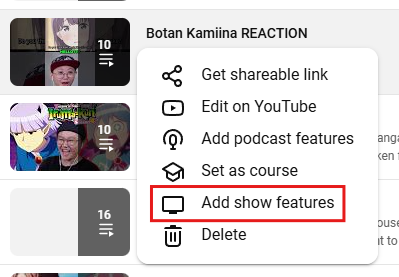
Heads up: by default, everything in that playlist gets dumped into "Season 1." If you manually ordered the playlist, episode numbers follow that order. If not, YouTube sorts by publish date, oldest to newest.
The second path is to create the Show from scratch.
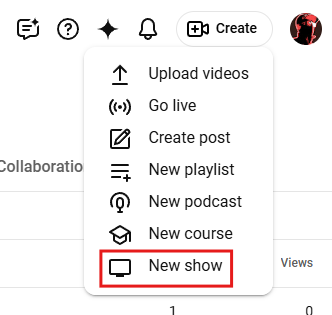
- Click Create > New show
- Set your Show's details
- Click Done
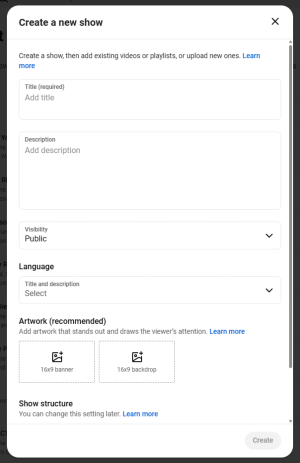
From there, you'll add artwork (aim for 4K, minimum 1080p) and assign season numbers as you add episodes. You can always go back later and edit episode or season numbers in your created Shows > Videos.
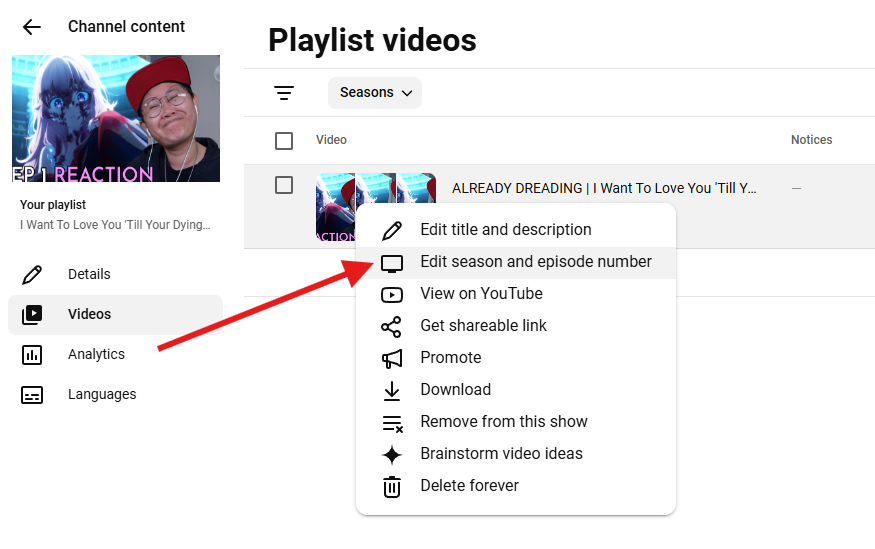
Check out the full step-by-step from YouTube's own doc: https://support.google.com/youtube/answer/16590581
Why should you care about YouTube Show.
YouTube is telling you what it wants more of, and which platform it's competing with (Netflix). It would be to your disadvantage if you don't take advantage of Show.
Here are a few more reasons why it matters.
Discovery boost. Show Pages get placement in Recommended Shows and Continue Watching. That's algorithmic real estate you don't get with a plain playlist.
Binge behavior, built in. Serial ordering plus autoplay-in-sequence means less friction between episodes and more session time, which YouTube rewards.
It signals professionalism. Consistent artwork, a real Show Page, season structure; it reads less like "random uploads" and more like a series worth subscribing to.
Sponsorship potential. A structured Show with dedicated seasons opens the door to season-level sponsorships, not just one-off video deals.
If your channel already runs a series format—cooking, gaming let's plays, educational courses, ongoing storylines—this is YouTube meeting you where you already are.
What's the difference between YouTube Show and YouTube Playlists?
Isn't this just a YouTube playlist with a new coat of paint? Not quite.
Here's where they split:
| Playlist | Show | |
|---|---|---|
| Structure | Flat list of videos | Seasons + numbered episodes |
| Page | No dedicated landing page | Own Show Page under your channel |
| Discovery | Not surfaced separately | Eligible for Recommended Shows + Continue Watching |
| Artwork | Basic thumbnail | Poster art, backdrop, title treatment |
| Viewing order | Serial or shuffled, it's up to the viewer | Defined as serial or non-serial by you |
| Feel | A collection of related videos | A structured series |
If you've got episodic content sitting in a plain playlist, converting it to a Show takes a few minutes and gets you access to placement you can't get otherwise.
It's worth checking out.
Get monthly channel reviews and weekly live group coaching from Andrew Kan and Ike Do. First 7 days are free, cancel anytime.