From Phone to Camera: What Nobody Tells You About Upgrading Your YouTube Setup

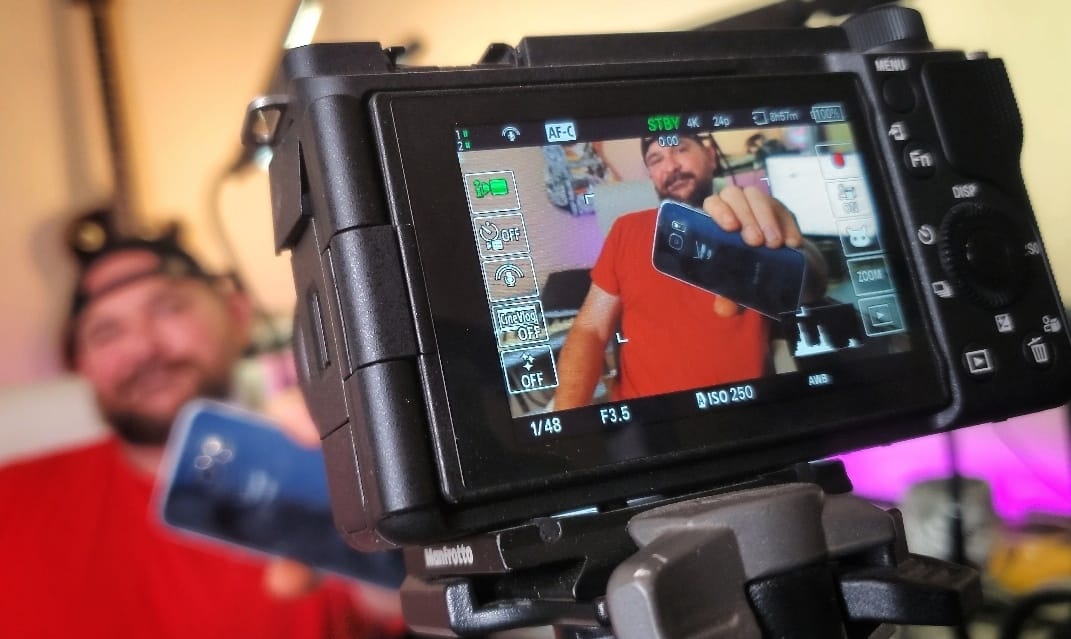
When I started my YouTube journey I set three rules. It had to encourage family time, not steal from it. I had to commit long-term, sacrificing TV, video games and music for the dream. And it had to be profitable.
YouTube was always a business to me. I'd spent years as an operations manager and I wanted to parlay that experience into a channel that turned a profit, not a hobby that drained money.
So I kept things cheap. That first year I invested about $100: a $24 annual subscription for Kinemaster editing software and a $50 already-outdated Samsung Galaxy S6. For another $20 I grabbed a waterproof case so I could capture underwater footage for my fishing channel.
That approach worked. In 8 years I produced over 600 videos and earned over 1,000,000 views.
Then the KDCC Changed Everything
When I joined the KDCC the expectation was that I'd help others hone their skills. But I could only teach so much as a creator with a 6-year-old phone and zero experience with real editing software.
As Andrew Kan put it, it was time to put on my big boy pants and catch up to the rest of the world.
They put professional lighting, a computer and a Sony ZV-E10 in my hands. Baby bird was going to learn to fly, which meant jumping headfirst out of my mobile-creator nest.
The Learning Curve Nobody Warns You About
This was not easy. I quickly grew to appreciate how simple phone creation had been. Suddenly I was dealing with camera settings, manual focus and light metering.
Even the lights had to be tuned correctly, and once they were, the camera battery died. I charged it back up (which took far longer than my phone ever did) and it immediately started overheating.
A trip through YouTube University taught me the settings to fix overheating, only to discover I couldn't transfer files to my computer. When I solved that, I met the final boss of camera challenges: CODECS. If you know, you know.
There was more. Learning advanced editing software. Figuring out why files wouldn't load. How to color grade footage once they did. But honestly, I wouldn't change a thing.
The Moment It All Clicked
It was days of constant, consistent headaches. Then I got that first video edited and published and I saw it. The reason for all of this. It was beautiful. I looked professional.
Sure, the video has flaws. The graphics need revamping, my color grading needs work (my red skin tones are quickly becoming an inside joke in the KDCC Discord) and the audio levels aren't perfect.
But these are minor flaws in an otherwise very accomplished video.
So Should You Upgrade Your Camera?
I'm a huge proponent of creating content on a mobile phone. It's cost-effective and easy. Smartphones let people who otherwise wouldn't have access to this experience make amazing content.
I'm extremely hesitant to tell anybody they need to upgrade their camera. If you're treating YouTube like a business, that means keeping costs in the black, and the camera is one of the last things you really need to upgrade.
But when that day comes… when the thing standing between you and the greatness you're capable of is the camera and you finally get a good one in your hands… be prepared for headaches. Be prepared for a learning curve unlike anything since the start of your channel.
Take a deep breath, close your eyes and leap out of that nest. Because when the wind catches beneath your wings and you take flight for the first time, it will all have been worth it.